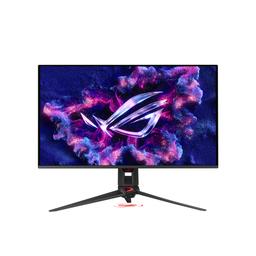
Asus Asus ROG Swift OLED PG32UCDMR
Monitors

Asus

ASUS PG32UCDMR: What Real Users Say Before You Buy

Mar 2026

Last Analyzed

8/10

Overall Rating

23

Positive Reviews

20

Negative Reviews

Summary

The ASUS ROG Swift OLED PG32UCDMR is a refresh of the PG32UCDM, adding DP 2.1 UHBR20, an internal PSU, and a Neo Proximity Sensor to the same 32-inch 4K QD-OLED panel running at 240Hz. Owners — mostly upgrading from IPS or older OLED panels — are consistently blown away by the color accuracy, inky blacks, and HDR performance, calling it the best display they've ever used. It's aimed at enthusiast gamers and creative professionals who want the largest 4K OLED available today, especially those with RTX 5080/5090 setups that can fully exploit DP 2.1 without DSC. The main asterisk in every thread is the panel generation: this is still a 3rd gen QD-OLED while the 27-inch PG27UCDM already ships with a 4th gen panel, a tradeoff buyers consciously accept for the extra screen real estate. Community sentiment is overwhelmingly positive, with most complaints focused on the ergonomics of the stand and a known Dolby Vision mode-switching bug rather than the panel itself.
Pros

  • DP 2.1 UHBR20 (80 Gbps) eliminates the need for DSC at 4K 240Hz, a meaningful upgrade over the DP 1.4 on the older PG32UCDM, and removes the DSC head-count penalty on Nvidia GPUs running multi-monitor setups
  • Internal PSU removes the external power brick entirely, resulting in a cleaner desk setup — owners who came from the UCDM specifically mentioned this as a welcome quality-of-life improvement
  • Neo Proximity Sensor auto-dims and wakes the panel instantly as you sit or leave, providing passive OLED burn-in protection without user intervention; multiple owners called it genuinely useful rather than a gimmick
  • Color accuracy and HDR performance are consistently praised across all use cases — gaming, UX/UI design, motion graphics, and movie watching — with one M4 Max MacBook Pro user reporting razor-sharp text that defied expectations for a non-Apple display
  • 90W USB-C KVM hub lets laptop users power and switch sources from a single cable, making it a versatile dual-use work-and-gaming display
  • Reflection handling is described as top-tier in semi-lit rooms, with the semi-gloss coating managing ambient light better than owners expected from a non-matte OLED

Cons

  • Still a 3rd gen QD-OLED panel while the 27-inch PG27UCDM already ships with a 4th gen panel; no 4th gen 32-inch panel was available at launch, but Gen 4 in 32-inch is expected and makes this a harder sell at full MSRP
  • Known Dolby Vision mode-switching bug (Gaming → Dark etc.) causes one side of the screen to render incorrectly; ASUS has not issued a firmware fix for the UCDMR yet, though power-cycling or switching to SDR and back serves as a workaround
  • The included stand is large, takes up significant desk depth, and doesn't lower far enough for comfortable ergonomics — multiple owners recommend budgeting for a third-party monitor arm immediately
  • Black levels are measurably worse than WOLED competitors (e.g. XG32UCWMG with TrueBlack coating) in direct side-by-side comparisons in a dark room; the QD-OLED coating produces a slightly greyer black even at low ambient light
  • DP 2.1 cable length is limited to short certified cables, and some early buyers encountered DSC forced-on behavior with the DP 2.1 OSD setting — a firmware issue that mirrors one already fixed on the PG27UCDM (MCM105) but not yet resolved on the UCDMR
  • At launch MSRP around $1,299–$1,500 depending on region, it's significantly more expensive than near-identical-panel alternatives like the MSI MPG 322URX; the premium is largely for the DP 2.1, KVM, and ASUS ecosystem features

First OLED Owners Keep Saying the Same Thing

Across hundreds of comments, people buying their first OLED monitor almost universally describe an instant 'wow' moment — especially in HDR gaming on PS5 or PC. The transition from IPS panels makes the PG32UCDMR feel like a generational leap, not just an incremental upgrade.

Is the DP 2.1 Upgrade Actually Worth the Price Premium?

Reddit is genuinely split. Some argue DSC is visually lossless and the UCDMR's premium over the older UCDM isn't justified — especially since a Gen 4 32-inch panel is coming. Others point to real benefits: multi-monitor DSC head savings on Nvidia GPUs, the 90W KVM, and the cleaner internal PSU. Your GPU and workflow determine which camp you're in.

The Stand Is the Most Universally Hated Part of a Great Monitor

It's sturdy and looks aggressive, but the ROG tripod stand dominates desk space and doesn't go low enough for many users. Almost every owner thread eventually mentions buying a monitor arm. Factor that into your budget — the monitor itself earns near-universal praise, but the stand almost never does.

User Reviews (43 of 249 analyzed)

18
0
Aussie_Buttr/OLED_Gaming13d agonegative

No DP 2.1 is a deal breaker for you, even though it effectively has zero difference in performance?

View Original Comment
11
0
Howxcorer/OLED_Gaming13d agopositive

It's my first oled and I'm extremely happy with it, after adjusting settings it looks pin point accurate in both sdr and hdr modes, extremely accurate color and deep blacks. Very responsive, and bright enough for my taste. Reflection performance is top notch in a somewhat well lit room. No weird color shifts, or black crush. Using it with a 5090. Play mostly cod and battlefield games so far. Watched superman in HDR and it's gorgeous. No complaints and well worth the money spent after using it.

View Original Comment
9
0
TheRemyJamesr/OLED_Gaming13d agopositive

I just finished setting up three of these in my office, and all I can say is that I'm beyond impressed. The color accuracy is truly phenomenal. Beautiful panels, with auto-dimming and auto-off proximity features that are a nice touch. I can walk away & the screens will go dark. I sit down in my chair and they all light up instantly. The picture quality is the best I've ever seen on any screen. It's hard to explain—you almost have to see it for yourself.

View Original Comment
8
0
magnusavrr/OLED_Gaming13d agonegative

Update: I decided to keep the XG32UCWMG and return the PG32. The more video I watched, the more I appreciated the image quality on the XG32. It also cost me 120 USD less, and while I can live with the stand on the XG32, I would have needed to buy a new stand for the PG32. Both are fantastic monitors.

View Original Comment
6
0
Cold_Pepper_panr/OLED_Gaming13d agonegative

I own the XG32UCWMG and I agree with a lot of things. Though I dont care much for the powerbrick and DP 2.1. Were you able to update the firmware? I couldn't and this was ultimately the reason for me to finally decide to send it back. The proximity sensor is also buggy as heck, sadly.

View Original Comment
5
0
KyleB2131r/OLED_Gaming13d agonegative

I'm almost never team 'wait til the next gen,' but all you're getting is a bigger screen in his case. If you're already on a UCDM, may as well wait for 4th gen. UCDMR is just a DisplayPort change. Panel is exactly the same, and it's highly doubtful you'll notice the lack of DSC. You'd be getting less ppi with no upgraded anything to show for it.

View Original Comment
5
0
m0n0L1th1c_ohfavxr/OLED_Gaming13d agopositive

Just got mine a few days ago. My first 4k display. I'm running it on a MacBook Pro 16" M4 Max, and also with a PC and a Playstation 5. It blew me away on PS5 in HDR mode. Colors are astounding, and it's truly beautiful. Especially in HDR mode for gaming. But overall it's just a fantastic display.

View Original Comment
5
0
slapflashr/OLED_Gaming13d agonegative

Sounds like the same issue people had with the PG27UCDM recently. Asus just put out a firmware fix for that. You might have to wait for them to fix it on this one too.

View Original Comment
4
0
m0n0L1th1cr/OLED_Gaming13d agopositive

Just got mine a few days ago. My first 4k display. I'm running it on a MacBook Pro 16" M4 Max, and also with a PC and a Playstation 5. It blew me away on PS5 in HDR mode. It's a huge difference (and an expected adjustment) coming from my old LG 34WK650-W which was 21:9 WFHD (2560 x 1080) IPS. Colors are astounding, and it's truly beautiful. Especially in HDR mode for gaming. But overall it's just a fantastic display.

View Original Comment
4
0
Swimming_Weakness_34r/OLED_Gaming13d agopositive

Just got mine about a week ago! It's clearly a masterpiece.. The best gaming monitor in the world. The only thing that i can say is that i came from a curved monitor and i fell that this one is curving backwards while the monitor is perfectly flat. 'Fish eye effect'. I think i need much time to get used to it. But vision quality masterpiece guys.

View Original Comment
4
0
nirurinr/OLED_Gaming13d agonegative

I've noticed the woled screen noticeably blacker even in my room, and my lighting is extremely dim (like 20lux). The qd oled screen isn't going noticeably red at that light level, but it is noticeably greyer.

View Original Comment
4
0
kaelor1r/OLED_Gaming13d agonegative

It's the same monitor as PG32UCDM with only dp 2.1 added to it. I read that it's not much different between those two. If you find a cheaper than ucdm go for it I would say.

View Original Comment
4
0
1920x1440pr/OLED_Gaming13d agopositive

I got the PG32UCDM it's amazing. I do everything regularly I wouldn't worry too much about burn in tbh. I use it as a normal monitor and use it under 3 year warranty and it's cake. After 3-5 years for me I'm sure even better panels will be out that I'd upgrade to. It's worth it don't be discouraged, panel is beautiful.

View Original Comment
4
0
No_Government4219r/OLED_Gaming13d agopositive

I received mine this Friday, delivered with firmware 101. Under Windows 11 25H2, I connected it to a real USB 2.0 port using the cable supplied, started OneKeyUpdater, and was able to update to firmware 103 without any problems. I set the proximity sensor to 'Custom,' had it measure, and then it just worked.

View Original Comment
3
0
Mastotronr/OLED_Gaming13d agopositive

I went from 32" back to 27" for the PG27UCDM. I loved it but missed the extra screen space. Had an order with Amazon but saw BB in stock and went that route. Have had it for a few days and can honestly say this was the right move. The 27" is an absolutely pristine monitor but I have a monstrous desk and the 32" is the right size for me for now.

View Original Comment
3
0
save_earthr/OLED_Gaming13d agonegative

I haven't researched the PG in depth but I had the XG32 and sent it back. The input detection is one of the most basic functions of a monitor and it was terrible at that, which is apparently a trend. It won't show BIOS boot because it's so slow. It is especially annoying when switching between multiple inputs. Even with auto input detection disabled, simple wake from sleep was poor. The OSD is slow to maneuver which exacerbates the input selection issue. I would advise serious caution.

View Original Comment
3
0
Luka_8102r/OLED_Gaming13d agonegative

If you use DLSS for 4K gaming what is the point of DP 2.1, i just dont get it.

View Original Comment
3
0
m0n0L1th1c_2r/OLED_Gaming13d agopositive

I do UX/UI/Web Design, development, video and motion graphics. Text is clear and sharp. Do not over-think this. I cannot understand why such a big deal was made about things like this on RTNGS. It's a non-issue. I'm on a MacBook Pro M4 Max - Macs are allegedly supposed to not have as sharp of text on non-Apple displays. B.S. My text is razor-sharp writing this, in VS Code, Cursor, web browsing, etc. Go for it!

View Original Comment
3
0
Howxcore_standr/OLED_Gaming13d agopositive

I use the stand, as my desk is pretty deep so it doesn't bother me at all. It's very sturdy and well built. I don't see where all the hate for the stand comes from on these forums.

View Original Comment
2
0
maheanuur/OLED_Gaming13d agonegative

This isn't a panel defect, it's a known Dolby Vision bug on ASUS OLED monitors (PG32UCDM / UCDMR / UCDP). When you switch DV modes (Gaming to Dark, etc.) the Dolby Vision LUT sometimes doesn't reload correctly, so one side of the screen looks different. Quick fixes: Switch to SDR then back to DV, power cycle the monitor, update firmware, avoid changing DV modes during content.

View Original Comment
2
0
dryadofelysiumr/OLED_Gaming13d agopositive

I'd be the first one to call out gimmicks, but I actually love the Neo Proximity Sensor on my ASUS XG27UCDMG. I've got it on 120cm/15mins and it works perfectly. Essentially it means I do not have to think about screen protection or whatever ever, e.g. when I let my PC run during sleep at night or go away for some time. It's actually a really good implementation.

View Original Comment
2
0
deleted_rri2w4lr/OLED_Gaming13d agopositive

I just got one for a very good price on Black Friday and it's amazing. I upgraded from an Alienware ultra wide 34 inch. It's very clear and crisp and the HDR is much better in games, especially in darker areas. It's hard to describe but it's almost like the monitor adjusts itself, it's very immersive in hunt showdown using HDR.

View Original Comment
1
0
StellarStacher/OLED_Gaming13d agopositive

I bought a PG32UCDM in October 2025, and suddenly having lot's of flickering and turning itself off... noticed PG32UCDMR is available for £777.99 and just ordered. From my understanding the R (REVISION) differences are DP2.1, the proximity sensor has been upgraded to a NEO Proximity sensor and the PSU is now internal. Running this on a 5080FE so will be nice to stop using DSC.

View Original Comment
1
0
StellarStache_followupr/OLED_Gaming13d agopositive

One thing I've realised it's how the back is completely different, it's 'smaller' and has the PSU built in, interesting they managed to make it smaller including PSU... no difference on heat so far. Noticed OSD is different and has more options like OLED Anti-Flicker, the PG32UCDM didn't have this option even after firmware update, the proximity sensor upgrade to NEO is noticeable and much better, overall the PG32UCDMR is better than PG32UCDM.

View Original Comment
1
0
maddisillusionr/OLED_Gaming13d agonegative

I just bought this monitor yesterday, and it looks stunning. However, when I first activated Dolby Vision, everything was normal. Once I changed modes (e.g., Dolby Vision Gaming to Dark or vice versa), my monitor looked weird (the left side was normal, but the right side looked off). Has anyone else encountered the same issue? Do I need to return the product?

View Original Comment
1
0
Paperella_Danzanter/OLED_Gaming13d agonegative

Be very careful when cleaning! I half ruined the coating on mine by spraying it with a generic screen cleaner to remove fingerprints. Consider purchasing an arm. Its stand is really ugly and bulky; if you have a small desk, you might have a hard time. Also consider purchasing a separate DP 2.1 cable (80Gbps); the included one is really short. Remember to disable DSC, which you won't need if you use DP 2.1, and to set 10-bit RGB colors in the Nvidia control panel to take advantage of its full capabilities.

View Original Comment
1
0
coleavenuer/OLED_Gaming13d agonegative

You should know that asus is a scum bag company that cannot wait to screw you over if you need to RMA. Also if this is a new model it'll probably take them a year to get the firmware right.

View Original Comment
1
0
MateoElSanczar/OLED_Gaming13d agonegative

Be aware of black raise in any brighter conditions, fragile coating, VRR flicker and usual dimming in high brightness mode in HDR. These are the most common things others post about when getting an OLED (in this case qd-oled).

View Original Comment
1
0
wspartanr/OLED_Gaming13d agopositive

Coming from a PG32UCDM owner (previous gen of yours) - I absolutely love it. And yes, you can wait for the gen 3 as many are saying but if you need a monitor now it's hard to beat this.

View Original Comment
1
0
Ok_Principle5950r/OLED_Gaming13d agonegative

If it is in discount I got mine 700€ which was before 1200€. Otherwise wait next gen, but to be honest it is same panel with different coating. Proximity sensor is useless.

View Original Comment
1
0
Jazzlike_Stomach6112r/OLED_Gaming13d agopositive

Compared to the older UCDM (without the r) the UCDMR also has no 'powerbrick' as the transformer is built in to the monitor. Small thing maybe but a welcome and positive surprise for me.

View Original Comment
1
0
NoFranciar/OLED_Gaming13d agonegative

I see it differently — ever since they 'fixed' the black screen issue caused by the Neo sensor, the minimum setting has been 5 minutes instead of 1. That 1-minute option used to work perfectly for me, and without it, the feature is now useless.

View Original Comment
1
0
Narrow_Relative2149r/OLED_Gaming13d agonegative

I just don't get why it's Gen 3 instead of 4. It feels like something brand new is old tech.

View Original Comment
1
0
Walhalla360r/OLED_Gaming13d agonegative

Because there is no Gen 4 panel with 32 inch. But that's a reason why I am going to skip it. I mean 1000 Euro for the 'old' vs. 1600 for the 'new'. I think it's better to buy a new one in a couple of years with the saved money.

View Original Comment
1
0
IIxRaZoRxIIr/OLED_Gaming13d agopositive

For me now (After testing both) Clear the PG32. Way better uniformity, faster menu, world less Reflections, better colors. Asus software on Both total Shit.

View Original Comment
1
0
Mastotron_ohfavxr/OLED_Gaming13d agopositive

Own it and love it. There are things you can do to minimize exposure to potential burn in (black background, auto hide taskbar, etc.) I used TFT central's guide for the UCDM model for my setup and it has been excellent.

View Original Comment
1
0
rockstar34543_nnfgmlgr/OLED_Gaming13d agopositive

There will be no 4th gen 32" this year — that was already announced this summer. The PG27UCDM is amazing. I owned it. I recently sold it for the pg32ucdmr. It's not as sharp as the 27" but it's not a deal breaker. The size upgrade to me is worth going bigger if you can swing it.

View Original Comment
1
0
MaryOneEyer/OLED_Gaming13d agopositive

In stalker 2 the shimmering is now gone on grass using 2.1 vs 1.4 with DSC. Oddly. Probably just a fluke.

View Original Comment
1
0
QJunkiesr/OLED_Gaming13d agonegative

Have you also encountered that with DSC Support disabled you cannot enable HDR in windows? Never mind - for anyone wondering, my cable was not up to snuff. I was getting 10gbps (amazon listing lied). Switched to the cable that came with the monitor and now I have HDR enabled with DSC off and DP 2.1 selected.

View Original Comment
1
0
Own_Independence4466r/OLED_Gaming13d agopositive

For single player games and movies it is top of the line best video quality I've seen!

View Original Comment
1
0
NastyRhythm83r/OLED_Gaming13d agopositive

Just purchased this today from Overclockers for £800! Can't wait for it to arrive.

View Original Comment
1
0
JamesMackenzie1234r/OLED_Gaming13d agonegative

Black Friday, plus no one is buying a monitor for £1500 when its competitors are £900 with the only distinction being Dolby Vision.

View Original Comment
1
0
magnusavr_fasterr/OLED_Gaming13d agopositive

It feels like it's not just DP 2.1 that's different hardware-wise. The PG32 seems faster overall. Waking from sleep is noticeably quicker, which makes me think the SoC is faster and better optimized.

View Original Comment