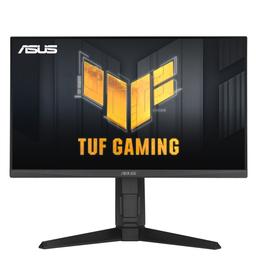
Asus Asus TUF Gaming VG249QL3A
Monitors

Asus

Asus TUF VG249QL3A: Real Users on the 180Hz Glitch Problem

Mar 2026

Last Analyzed

7/10

Overall Rating

29

Positive Reviews

13

Negative Reviews

Summary

The Asus TUF Gaming VG249QL3A is a 24-inch 1080p Fast IPS monitor running at up to 180Hz, and Reddit's general consensus is that it punches well above its budget price point. Users consistently praise its color quality, brightness, and smooth gaming experience, making it a solid pick for competitive and casual gamers on a tight budget. The main ongoing controversy centers on flickering and pixel-line glitches specifically at the 180Hz setting, with multiple users across different regions and GPU brands reporting the issue — most finding relief by dropping to 165 or 178Hz. It's a monitor that draws comparisons to slightly cheaper alternatives like the LG 24GN650 and Gigabyte G24F2, but the fully adjustable ergonomic stand (the key difference of the 'L' variant) gives it an edge for users who care about posture and desk setup flexibility.
Pros

  • Color accuracy consistently praised — multiple owners coming from TN panels or budget IPS monitors report a noticeable upgrade in vibrancy and richness out of the box
  • Brightness rated at 350 cd/m² is genuinely bright; users report comfortable visibility even in sun-lit rooms and recommend dropping to 50-60% at night
  • Fully height-adjustable, tiltable, and swiveling stand (the 'L' variant differentiator) — rare at this price point, where many competitors offer tilt-only stands
  • 180Hz gameplay feels smooth and responsive for FPS titles like CS2 and Warzone; users report no noticeable lag and a genuine competitive feel
  • HDMI 2.1 and DisplayPort connectivity covered; dual HDMI 2.1 ports make it versatile for console + PC setups
  • No backlight bleed issues reported by multiple owners, and IPS glow is minimal and typical for the panel type

Cons

  • A recurring flickering/pixel-line glitch appears at exactly 180Hz for a notable number of users — multiple GPU brands affected (RTX 2060, 3050, RX 9060 XT); setting to 165Hz or 178Hz resolves it for most, but paying for 180Hz and not using it stings
  • HDMI cable included in box reportedly insufficient for stable 180Hz output — users recommend a DisplayPort cable, which is not included
  • HDR is largely considered cosmetic marketing; 350 nits is not enough for a meaningful HDR experience, and Windows often flags HDR as unsupported
  • Limited third-party reviews mean buyers must rely heavily on Reddit for real-world assessments — a frustrating research experience for first-time buyers
  • Some users eventually returned or sold the monitor and moved up to 1440p or 240Hz options, suggesting it may feel like a short-term hold rather than a long-term investment for enthusiasts
  • Contrast is average for IPS; users switching from VA or higher-end IPS panels may find blacks look washed out without careful OSD calibration

The 180Hz Lottery: Works Great for Some, Glitches for Others

A surprising number of Reddit users across multiple GPU brands and regions report persistent screen-line glitches and flickering specifically at 180Hz — not at 165Hz. Some returned their units, others capped at 178Hz as a workaround. It's not universal, but it's common enough to be a known risk.

The Best Budget 1080p Monitor Nobody Has Reviewed

Multiple Reddit threads open with the same frustration: there are almost no professional reviews of this monitor. That has pushed buyers to rely entirely on community feedback — which, aside from the 180Hz issue, skews positive and paints it as an underrated value pick in the 24-inch 1080p category.

The Adjustable Stand Is the Hidden Selling Point

In markets where the VG249QL3A competes against cheaper IPS monitors, the fully ergonomic stand is what tips the decision. Redditors in regions with limited selection specifically call it out as the reason they chose this over alternatives — it's a feature most sub-$200 monitors skip entirely.

User Reviews (42 of 175 analyzed)

3
0
Eviropetr/buildapcmonitors13d agopositive

I dont know if im late but i have the same monitor and its solid. Its color quality is really good and there is no backlight bleed problem.

View Original Comment
3
0
Pizza_For_Daysr/buildapcmonitors13d agopositive

Seems fine for what it is. Most 1080p 144-180Hz IPS monitors perform pretty similarly overall and you're not going to find as many in depth reviews these days on 1080p monitors since most people opt for 1440p/4k IPS or OLED. In the US at least, 1080p 144hz-180hz is usually $125-$175, so I'd expect this one to be fine if it's in that price range.

View Original Comment
3
0
Puzzled_Enthusiasm_8r/buildapcmonitors13d agopositive

I can tell you it's very bright, you have to reduce the brightness to 50-60% at night, yesterday I checked its brightness in the sun, and even when the sun's rays fell directly on the monitor, everything was visible (without taking into account the highlights) and if you put the monitor at an angle, not right on the sun, everything is perfectly visible.

View Original Comment
3
0
KentonSLr/buildapcmonitors13d agopositive

Reviewers no longer bother to test monitors for normal people unfortunately. In my country the only available 24" 1080p monitor with adjustable stand is the VG249QL3A. No others. So the choice would be easy!

View Original Comment
2
0
Bront20r/buildapcmonitors13d agopositive

The entire difference is the L. That L means the QL3A model has a fully adjustable stand. The Q3A variant will have a simple stand with only viewing angle adjustments.

View Original Comment
2
0
HyruleanKnight37r/buildapcmonitors13d agopositive

Actually there is one more difference between the two, if Asus' own specifications are to be believed, where the L version has higher brightness at 350 nits compared to the non-L's 250 nits. Some people use their monitors at a low brightness anyways, but I tend to use at high brightness so it matters to me.

View Original Comment
2
0
Bront20_2r/buildapcmonitors13d agopositive

Correct. The only difference between Q3A and QL3A is the stand.

View Original Comment
2
0
Puzzled_Enthusiasm_8_2r/buildapcmonitors13d agopositive

On this 350 cd/m2 monitor, in theory, it should be enough to play in a lighted room, but not direct sunlight.

View Original Comment
2
0
TotallyNotAPillr/ArgamingConsultas13d agonegative

Interesting 180hz flicker issue discussion, panel may be limited by hardware.

View Original Comment
2
0
Bigd1979666r/buildapcmonitors13d agopositive

Did you get the ql3a, op? I'm looking at it as the colors and screen size are perfect for me!

View Original Comment
1
0
ScotsDarrenr/ASUSROG13d agopositive

I feel it has very good smoothness and I have had no issues with it all and there is no lag as well when you play games on it as well. Good value for money as well and can't fault at all.

View Original Comment
1
0
ScotsDarrenr/ASUSROG13d agopositive

I found the brightness of the monitor good as I have not a lot of light coming into my room. Lucky this monitor has helped a lot with that as the brightness is quite decent on it.

View Original Comment
1
0
azilio95r/buildapcmonitors13d agopositive

It's a good monitor. Colors are good, and I overclocked it to 180hz.

View Original Comment
1
0
Fistofkr/buildapcmonitors13d agopositive

I bought the Asus, so far very happy, nice colors, playing at 180hz is a blast, and it looks great for working in PS, very happy with the product.

View Original Comment
1
0
Redditisashitbirdr/Asustuf13d agonegative

I just bought one from best buy and it had this exact problem as well. Tried two different computers. It doesn't do it right away has to be on that refresh rate for 5 minutes or so and then it starts but gets progressively worse as time goes on. Looks identical to the video posted by OP. Didn't come with display port cable as it should have. Came with hdmi cable instead. Ran great on every other refresh rate. Am returning it today.

View Original Comment
1
0
StrongClick8036r/Asustuf13d agonegative

I have the same problem. Anyone have a fix for this?

View Original Comment
1
0
renzo1997r/ArgamingConsultas13d agonegative

Mismo problema, Tengo una 3070. En foros en inglés dicen que es un problema recurrente y todos terminan devolviendo el monitor a la garantía. No sé lo dejen, seguro es un panel de 165hz refritado, le hicieron OC y lo pusieron en este modelo.

View Original Comment
1
0
varelajoakor/ArgamingConsultas13d agonegative

A mi me pasa exactamente lo mismo, nada más que yo tengo una 1660ti, estoy buscando solucion. Lo uso a 165hz.

View Original Comment
1
0
OkMathematician6523r/ArgamingConsultas13d agonegative

Ese panel es una porquería, fallan muchísimo a esa frecuencia, no se que onda.

View Original Comment
1
0
gipsyJr/ArgamingConsultas13d agonegative

Configure AMD adrenaline y cree una frecuencia de 178HZ, por el momento no sucedio nada, funciona bien, de todas formas la voy hacer pasar por garantia.

View Original Comment
1
0
gipsyJr/ArgamingConsultas13d agonegative

Devolví el monitor y lo cambie por un Gigabyte GS25F2.

View Original Comment
1
0
Dylanterowatonxdr/ASUSROG13d agonegative

It's probably windows (advanced display config) or the cable (must be display port).

View Original Comment
1
0
bruh4444Qr/Monitors13d agopositive

I bought the ASUS TUF VG249QL3A after upgrading from a 19 inch Samsung 1440x900 TN panel that I used for almost 15 years. So this was a massive jump for me. Before buying it, I searched everywhere for real feedback and honestly there isn't much detailed info about this monitor. Build quality surprised me.

View Original Comment
1
0
Terminate42r/buildapcmonitors13d agonegative

I bought this monitor but my pc has not arrived yet. I wanted to ask is it good for gaming and watching media? Because some people say it has bad contrast and color and when I went to buy it I saw the same monitor but 1440p 27 inch and it looked kind of washed up, the color looked kinda bad on it.

View Original Comment
1
0
Wise-Championship689r/ArgamingConsultas13d agonegative

Encontraste alguna solución? Me pasa lo mismo, solo cuando bajo a 165 no hay problema pero no se si con el tiempo empeore.

View Original Comment
1
0
lordos85r/ArgamingConsultas13d agopositive

Yo tengo el mismo pero en 27" cero glitches, puede ser la gpu o algún driver.

View Original Comment
1
0
azilio95_2r/buildapcmonitors13d agopositive

VG249QL3A is 1080p. Make sure to contact them first!

View Original Comment
1
0
Amir-78r/Asustuf13d agonegative

I tried but I need a high refresh rate for Gaming also yes it gives 180hz there. Also I'm on the latest update from Nvidia GeForce.

View Original Comment
1
0
Low_Veterinarian_995r/buildapcmonitors13d agopositive

I got a Lenovo r24e screen and its solid, I think most of them are roughly the same. Make sure you got height adjustment and advanced connectivity (DP 1.4 and HDMI 2.1 ideally), HDR support, high refresh rate etc.

View Original Comment
1
0
unsolicited_idear/buildapcmonitors13d agopositive

How is it going?

View Original Comment
1
0
Alarming_Roll8753r/ArgamingConsultas13d agonegative

Si no me equivoco si es de gpu, al hacer un screenshot deben salir las lineas verdad? porque hago una y no salen. Entonces quizas es el monitor, en configuración avanzada del monitor me sale como Generic PnP Monitor con drivers del 2006.

View Original Comment
1
0
Present-Cookie8388r/ArgamingConsultas13d agopositive

Donde compraste el tuyo? Tambien compra gamer?

View Original Comment
1
0
lilyeetgangr/buildapcmonitors13d agopositive

I'm interested in getting it and noticed the VG249QL3A on overclockersuk mentions it being 1080p but on amazon uk it says 1080i for some reason. As you already have one can you please let me know if its actually true.

View Original Comment
1
0
h3xmindr/buildapcmonitors13d agopositive

How's the brightness? I have a rather bright room (with two windows) and I need a bright monitor.

View Original Comment
1
0
Any_Dish6802r/buildapcmonitors13d agopositive

Im currently using 75Hz monitor too. Planning to upgrade to this.

View Original Comment
1
0
Unknown_8492r/buildapcmonitors13d agopositive

How long is it already since you overclocked it? And is it safe? I got myself vg29q3a from a friend and been using it on 165hz only, since I thought 15hz plus from 165hz not gonna affect much. Still wondering if the built-in OC 180hz is safe.

View Original Comment
1
0
No_Disaster_4967r/buildapcmonitors13d agopositive

Pretty sure that the Q3A provides an extra earphone plug.

View Original Comment
1
0
BlazeBuilderXr/buildapcmonitors13d agopositive

Sorry for necro posting, but how's the monitor doing? Planning on replacing my Benq GW2283 with this, costs around 190$.

View Original Comment
1
0
Temporary_Frame8789r/buildapcmonitors13d agopositive

Hello, do you still recommend this Asus tuf monitor? I see that it is at a good price and they will probably sell out quickly.

View Original Comment
1
0
uvvillknovvr/buildapcmonitors13d agopositive

Which one did you get? And how is it doing so far?

View Original Comment
1
0
AccountMinimum7312r/buildapcmonitors13d agopositive

Recomiendan más este o el MSI g244f, lo quiero para consolas y para una laptop, pensaba en uno 1440p de 27 pulgadas pero en la laptop que es lo que más uso no suelo pasar de full HD porque pierdo FPS.

View Original Comment
1
0
Fistofk_2r/buildapcmonitors13d agopositive

TUF Gaming VG249QL3A vs LG 24GS60F-B 24, Can anyone who has participated in this talk tell me which option is better? I intend to use it with a 6600xt and I also work with PS.

View Original Comment