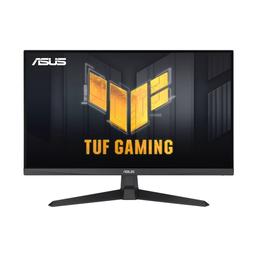
Asus Asus TUF Gaming VG279Q3A
Monitors

Asus

Asus VG279Q3A: What Real Users Actually Think

Mar 2026

Last Analyzed

7/10

Overall Rating

23

Positive Reviews

18

Negative Reviews

Summary

The Asus TUF Gaming VG279Q3A is a 27-inch FHD (1920x1080) Fast IPS monitor running at 180Hz with 1ms GTG response time, and Reddit sentiment is generally positive among budget-conscious gamers who prioritize smooth motion over resolution. Owners praise its competitive gaming performance and ELMB Sync for motion blur reduction, but a recurring criticism is that it's only 1080p in an era where 1440p options exist at similar or slightly higher prices. The 250 nit peak brightness is a notable limitation — it's fine for dim rooms but can feel underwhelming in bright environments and makes HDR essentially cosmetic. For someone building around a mid-range GPU or coming from a 60Hz panel, it's a meaningful upgrade; for those already considering 1440p, Reddit consistently suggests spending a bit more.
Pros

  • Native 180Hz Fast IPS panel with 1ms GTG delivers genuinely snappy motion — competitive FPS players report zero noticeable ghosting at high framerates
  • ELMB Sync (Extreme Low Motion Blur) works alongside VRR/G-Sync Compatible and FreeSync Premium, letting users reduce motion blur without sacrificing adaptive sync
  • Variable Overdrive feature allows fine-tuning overdrive level (most users settle on level 3) for a clean balance between response speed and artifact avoidance
  • Console compatibility confirmed — PS5 VRR works up to 120Hz via HDMI 2.0, and QHD sibling versions also support 2K120 on consoles
  • Strong long-term reliability reports — multiple owners cite 1-2+ years of daily use with no dead pixels or degradation
  • Color output is well-regarded after minor OSD calibration, particularly in User Color Temp mode; owners share settings that produce accurate, vibrant results

Cons

  • 1080p resolution is the main sticking point — at 27 inches, pixel density is noticeably lower than competing 1440p options now available at similar prices
  • Peak brightness of 250 nits limits usability in well-lit rooms and makes HDR support a marketing label rather than a practical feature
  • No height adjustment on the stand — the monitor only tilts, which is a genuine ergonomic limitation that forces some users to buy a VESA arm
  • HDR support is widely described as not real HDR — Windows may flag it as unsupported, and Nvidia HDR shows as inactive for many users
  • Ships with a DisplayPort 1.2 cable, but requires DP 1.4 to unlock the full 180Hz without OSD overclocking — users have to buy a separate cable
  • 6-bit + FRC panel rather than native 8-bit, which some color-sensitive users flag as a quality compromise at this price tier

Keys Locked, HDR Inactive, DP 1.2 in the Box

First-time owners on Reddit frequently hit the same trio of setup frustrations: OSD keys stuck in lock mode, HDR showing as unsupported in Windows, and needing to buy a DP 1.4 cable just to reach the advertised 180Hz. None are dealbreakers, but they add friction out of the box.

A 1080p Monitor Competing in a 1440p World

Reddit's sharpest criticism isn't about image quality in isolation — it's about value positioning. At $200–$250, 1440p Fast IPS panels are increasingly reachable, and multiple threads point buyers toward options like the AOC Q27G4X or Asus VG27AQ3A as better long-term investments for just a bit more money.

The ELMB Sync Sweet Spot Most Reviewers Miss

One of the more useful community findings: you don't need ELMB Sync for great motion clarity. Setting Variable OD to level 3 gives near-identical motion performance without the brightness penalty ELMB Sync imposes — a tip that experienced owners consistently pass on to new buyers.

User Reviews (41 of 144 analyzed)

5
0
Mr_MummRar/Monitors13d agonegative

I have the same problem with my new monitor. It looks washed out / foggy from some angles exactly like your video. My 10 year old cheap IPS monitor from LG is perfect in comparison.

View Original Comment
4
0
Weak-Psychology-9915r/Monitors13d agonegative

The brightness of the VG27AQ3A is lower than the VG27AQ, namely 250 vs 350-400. So HDR content will look better on the VG27AQ.

View Original Comment
3
0
AESIRur/Monitors13d agopositive

On this monitor you can immediately set the screen refresh to 180Hz by default without any restrictions. So you don't even need to overclock monitor in OSD.

View Original Comment
3
0
ASoftchairr/Monitors13d agonegative

I know this is an older post, but wondering as I just bought this model. How's the brightness on it? Is it worth it to pay the extra for the other version of this monitor for the hdr400 etc?

View Original Comment
3
0
cstrike105r/PHbuildapc13d agopositive

Wala naman issue. Last May ko lang nabili. Online from Lazada. Ok naman. Maganda maglaro ng games. Saka di pixellated yung texts kahit 1080p resolution lang. Worth it. Just check for dead pixels before you buy.

View Original Comment
2
0
Ivantsir/Monitors13d agopositive

Great, excellent colors for been a IPS, tried the suggested setting on racing mode and work great for low lit room without giving eye strain. No ghosting, no noticeable bleed, no dead or stuck pixels, speaker are usable but not good, cons it doesn't have height adjustment but I knew it before getting it.

View Original Comment
2
0
voltairemuskr/Monitors13d agopositive

I bought same monitor 2 days ago. 0 problem. works perfectly. I have Asus 5070 and ryzen 5 7600. I play pubg and cs 2 and black mesa and I can say gaming in my pc feels like real life scenery. so works fine. I am so happy.

View Original Comment
2
0
Incarceron2r/Monitors13d agopositive

I bought this monitor last month and love it as well. I'd say my version has slightly higher than normal ips glow, noticeable sometimes but not immersion breaking.

View Original Comment
2
0
Competitive_Pound197r/Monitors13d agopositive

Got it after reading through your post, really happy with it.

View Original Comment
2
0
PainaKCr/Monitors13d agopositive

You are a god sent. The settings you provided are the BEST. Thank you so much for sharing this with us. You single-handedly corrected the colors on this monitor.

View Original Comment
2
0
BrightxLordr/Monitors13d agopositive

Just today I got the 24inch version and I'm loving it.

View Original Comment
2
0
Bakamariar/Monitors13d agopositive

Playing on it for 3 days now, the backlight glow significantly reduced on dark backgrounds and unnoticeable on any other colors when viewed on angle. I think I'm gonna keep this one!

View Original Comment
2
0
Personal_Papaya_2047r/Monitors13d agopositive

Thank you so much op for the detailed review! Im planning on getting this model, its quite cheap, 150$ from the latest model of this one! Current price is 200$ in canada.

View Original Comment
2
0
Coffee-_-Addictedr/Monitors13d agopositive

Variable OD level should be on level 3 and above with VRR supported game or higher refresh rate like 144 FPS. Low refresh rate like 60 I always pick level 1 otherwise overshoot and ghosting will appear on my screen. Higher fps = higher variable OD.

View Original Comment
2
0
Financial-Side-6555r/Monitors13d agopositive

I found a way to fix all the color distortions or any problems with the colors, if you head to your main monitor settings under color, then click color temp, change it from warm, to user mode, it fixes all the colors, now it looks 4k for me.

View Original Comment
2
0
Lem0nbleachr/pcmasterrace13d agonegative

I used one for two years now and I absolutely don't appreciate its performance. The brightness, vibrance, and RESPONSE TIME are all issues to me. Find other reputable LG monitors on other subreddits like r/monitors, those will give you a MUCH BETTER experience.

View Original Comment
2
0
AESIRur/Monitors13d agopositive

ELMB Sync is worth using only if you are engaged in cyber sports and you care about every millisecond to the detriment of screen brightness. In all other cases 'Variable OD - level 3' is your choice.

View Original Comment
2
0
Pretty_Emu8668r/Monitors13d agopositive

Does it work with ps5?

View Original Comment
2
0
TheAverageAimerr/Monitors13d agonegative

The ELMB Sync reduces the ghosting a ton but also reduces the brightness to 250 nits which is a big no-no for colors.

View Original Comment
1
0
SelectSir3885r/Monitors13d agopositive

I've been using it for a while now, I'm really happy with it and I don't think that I would have found anything better.

View Original Comment
1
0
SelectSir3885r/Monitors13d agopositive

The monitor itself has a speaker I'm using it rn while talking to you it's more than enough but it's not as loud as these ones.

View Original Comment
1
0
thrownawa1298r/Monitors13d agopositive

I've had mine for about 3 months and am loving it so far.

View Original Comment
1
0
Necessary-Trifle7578r/Monitors13d agonegative

I only needed to buy a DP 1.4 cable because the one that comes with it is 1.2.

View Original Comment
1
0
SelectSir3885r/Monitors13d agonegative

Maybe the only downside is that you can't move it upwards or downwards but it wasn't a killer problem for me at least.

View Original Comment
1
0
Lem0nbleachr/pcmasterrace13d agonegative

They work, and okay for the price, but you will get the most from your money if you do your research. The stand of my TUF is so hard and not smooth to adjust at all.

View Original Comment
1
0
Low_Reporter_3305r/pcmasterrace13d agonegative

6 bit + FRC not 8 bit.

View Original Comment
1
0
xMagical_Narwhalxr/Monitors13d agonegative

Im returning mine, the picture is washed out trash. Used to have the vg27aq1a and it was the best.

View Original Comment
1
0
bacbacbacorr/ASUS13d agonegative

Thanks, I was able to unlock the grayed-out options in my monitor's menu. However, in my Nvidia Control Panel, it still states that the monitor is not validated as G-Sync Compatible, even though this monitor has been marketed as having G-Sync.

View Original Comment
1
0
EmrysWarloqr/ASUS13d agonegative

I had the same issue with VG259Q3A, found out the monitor was in Power Saving Mode. Move the knob on the back of the monitor > System Setup > Power Setting > Select Standard Mode.

View Original Comment
1
0
Necessary-Trifle7578r/Monitors13d agopositive

I bought mine today, after doing a lot of research. Looking at the comments, it looks like I got it right.

View Original Comment
1
0
AESIRur/Monitors13d agopositive

I still use this monitor and have no problems, no dead pixels, no distortions on the screen. It is still the same as the day I purchased it. I can recommend this as a first high Hertz QHD monitor, for its price it is awesome.

View Original Comment
1
0
AESIRur/Monitors13d agopositive

After two years of use, the monitor is fine, I have no problems with the display, it is the same as on the day of purchase. There are no dead pixels, except for one blue color, barely noticeable, but this is normal for 2560x1440p.

View Original Comment
1
0
AESIRur/Monitors13d agopositive

For everyday use in a well-lit room or at night, the brightness of this monitor is more than enough. In order to protect your eyes, brightness of more than 100 nits is not recommended at all.

View Original Comment
1
0
Significant_Yak_9156r/PHbuildapc13d agonegative

I just bought the asus and I would like to ask you guys if it's normal that I can't run both vrr and 120Hz on my ps5?

View Original Comment
1
0
77runicr/setups13d agopositive

I've been using the lightbar on this monitor for almost a year, nothing yet.

View Original Comment
1
0
IbrahimFarooq08r/Monitors13d agonegative

I wanna buy it but im so worried about brightness it has 250 nits im just worried what if it feels dull.

View Original Comment
1
0
AESIRur/Monitors13d agonegative

HDR in this monitor is marketing, it works, but it won't give you that HDR experience because the brightness of this display is not enough to really show HDR content.

View Original Comment
1
0
Ecstatic_Lawyer1396r/Monitors13d agonegative

I'm asking how HDR works because Windows says it's unsupported but I see Display HDR on Asus WidgetCenter App and I can also enable Nvidia HDR but it's always Inactive.

View Original Comment
1
0
AESIRur/Monitors13d agopositive

After two years, I can confidently recommend this monitor for purchase. It is suitable for both gaming and work. I use it every day.

View Original Comment
1
0
PillowMongerr/PHbuildapc13d agonegative

I can get 180hz on an HDMI port but 1920x1080 the resolution. For this monitor, the highest is 120hz on higher resolutions. Parang designed for desktop PC 'tong monitor.

View Original Comment
0
0
Ill-Basket4769r/setups13d agonegative

Yes it will damage the monitor. I have it before, it left a mark on my monitor.

View Original Comment