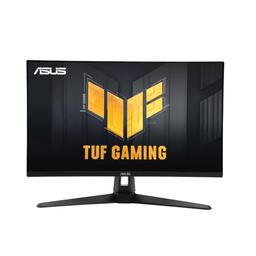
Asus Asus TUF Gaming VG27AQ3A
Monitors

Asus

Asus VG27AQ3A: Reddit's Honest 1440p Budget Verdict

Mar 2026

Last Analyzed

7/10

Overall Rating

32

Positive Reviews

12

Negative Reviews

Summary

The Asus TUF Gaming VG27AQ3A is a solid entry-level 1440p IPS monitor that hits a sweet spot for budget-conscious gamers who want QHD at 180Hz without breaking the bank. Community sentiment is mostly positive, with many owners reporting strong colors after manual calibration, zero ghosting issues, and long-term reliability over two-plus years of daily use. The monitor's main weakness is its 250-nit brightness cap, which limits HDR performance and makes it better suited for dim or controlled-light environments. It's frequently recommended as a first 1440p upgrade for those coming from 1080p or lower-refresh panels, and works well for both PC and console gaming via HDMI 2.0 at 1440p/120Hz. Stand ergonomics are a common frustration — no height adjustment — though VESA compatibility makes it easy to mount.
Pros

  • Native 180Hz over DisplayPort 1.4 with no OSD overclocking needed — just plug in and select DP 1.4 in system settings
  • Fast IPS panel (AUO M270DAN08.D) with Variable OD at level 3 delivering near-zero ghosting without overshoot artifacts
  • 130% sRGB color coverage looks great after manual calibration in User color temp mode (R:100, G:96, B:98 is a widely praised community setting)
  • G-Sync Compatible and FreeSync Premium with VRR working up to 120Hz on PS5 (with HDR disabled)
  • Long-term reliability — original owners report zero panel degradation or dead pixel issues after 2+ years of daily use
  • VESA mount compatible, making it easy to pair with a monitor arm to compensate for the fixed stand

Cons

  • 250 nits peak brightness is a hard ceiling — noticeably dim in bright rooms and makes HDR mode effectively useless (500+ nits needed for real HDR impact)
  • No height adjustment on the stand — a significant ergonomics downgrade vs. the older VG27AQ which had a fully adjustable stand
  • HDMI caps out at 144Hz, so full 180Hz requires DisplayPort; PS5 users are locked to 120Hz max
  • Some users report screen flickering issues out of the box — one commenter said their Canadian retailer saw multiple returns for the same problem in a single week
  • Included DisplayPort cable is 1.2, not 1.4 — you'll need to buy a DP 1.4 cable separately to hit 180Hz
  • Built-in speakers are barely functional — users had to push system volume to 200% to get audible output

The 250-Nit Problem Nobody Warns You About

Reddit owners consistently flag the low brightness as a dealbreaker for bright rooms or HDR use. Multiple comments note that ASUS's own HDR badge is effectively marketing — you need 500+ nits for HDR to actually matter, and this monitor tops out at 250.

Strong Value, Weak Out-of-Box Colors

Most buyers report the colors look flat or washed out until calibrated. The good news: the community has cracked the settings (User mode, R:100/G:96/B:98, OD level 3), and after calibration, multiple owners say it looks dramatically better than the default profile.

Surprising PS5 Performance for the Price

Console gamers report solid VRR support up to 120Hz on PS5 via HDMI 2.0 — a less-discussed upside for cross-platform setups. The caveat: HDR must be disabled to avoid bandwidth issues and black screen flicker at higher framerates.

User Reviews (44 of 195 analyzed)

54
0
ryankrueger720r/buildapcsales13d agopositive

If you hold out, I wouldn't expect to save more than $10-20 at most, that seems to be the floor. I don't see that changing with Black Friday for 1440P IPS.

View Original Comment
22
0
asd913r/bapcsalescanada13d agonegative

300hz is not as important as the Costco one having 400nits brightness vs 250nits for this Asus.

View Original Comment
22
0
Withinmyranger/bapcsalescanada13d agonegative

$60 is a big deal at this price range but 300hz is insane. If you play any comp game, this is well worth it.

View Original Comment
21
0
mayveeyr/buildapcsales13d agonegative

Nvm this is only 250 nits.

View Original Comment
20
0
deefopr/buildapcsales13d agopositive

$210 for a monitor with these specs is pretty phenomenal value. I doubt you'll see better than another few bucks off. If you want something of this nature and you're on a budget, this is a pretty fantastic deal.

View Original Comment
20
0
tsaidollasignr/buildapcsales13d agopositive

Uses the same new gen of AUO panels like the Dell G2724D and a few of the Acers.

View Original Comment
11
0
Blackyyr/bapcsalescanada13d agonegative

This is a garbage monitor. Bought it at CC, had problems all week with it. I thought it was defective. Went to CC and the guy doing the refunds told me I was the 4th bringing it back for the screen flicking that week. There is a reason they are cheap. Google this monitor with black screen flicking online and you'll find dozens of them. They all recommend to change the wire. I did and it didn't change anything.

View Original Comment
6
0
lemonstyler/buildapcsales13d agopositive

I literally always turn my brightness down on every monitor I buy... prob at 20-30%. But my pc is in a room with curtains. High brightness = my eyes hurt = headache.

View Original Comment
6
0
airscottier/buildapcsales13d agopositive

Huge, once you leave 1080p behind you'll never go back.

View Original Comment
5
0
AESIRur/Monitors13d agopositive

On this monitor you can immediately set the screen refresh to 180Hz by default without any restrictions. So you don't even need to overclock monitor in OSD.

View Original Comment
5
0
TheHotshot240r/bapcsalescanada13d agopositive

The one you linked has a better stand and slightly better colour gamut. Whether that's worth 70$ or not is more your call than anything. Personally, I'd say at 30-40$ more, worth it. But at 70$ more, get a 50$ monitor arm and the monitor posted and you'll still come out 20$ cheaper. All you'll lose out on that way is 3% sRGB coverage lol.

View Original Comment
5
0
ketchup-tear/buildapcsales13d agonegative

I'd personally lean towards the G27Q just because it's a little bit of an older (more well known and well reviewed) monitor and has the better ergonomics and brightness. As far as refresh rate goes, I haven't noticed a difference between using a 144Hz and 165Hz monitor, so I don't think I'd notice going up to 180Hz either.

View Original Comment
4
0
epicbeastmanr/buildapcsales13d agopositive

I have a 1440p monitor with a 2060 and i5-8600k and I'm fine in most games. I definitely will upgrade in the next year, but I really only struggle in brand new games. DLSS makes most things get to 60 while still at medium/high.

View Original Comment
2
0
Ivantsir/Monitors13d agopositive

Great, excellent colors for been a IPS, tried the suggested setting on racing mode and work great for low lit room without giving eye strain, like it was mention the hdr is not fully real hdr but is ok, I only tried it on some videos but haven't tried the HDR on games. No ghosting, no noticeable bleed, no dead or stuck pixels, speaker are usable but not good, cons it doesn't have height adjustment but I knew it before getting it.

View Original Comment
2
0
voltairemuskr/Monitors13d agopositive

I bought same monitor 2 days ago. 0 problem. works perfectly. I have Asus 5070 and ryzen 5 7600, 32 gb ram. I play pubg and cs 2 and black mesa. and I can say gaming in my pc feels like real life scenery. so works fine. I am so happy.

View Original Comment
2
0
Incarceron2r/Monitors13d agopositive

Great post, I bought this monitor last month and love it as well, I'd say my version has slightly higher than normal ips glow, noticeable sometimes but not immersion breaking.

View Original Comment
2
0
Competitive_Pound197r/Monitors13d agopositive

Got it after reading through your post, really happy with it. Also I just copied over your setting except I increased brightness because of my room lightning.

View Original Comment
2
0
Personal_Papaya_2047r/Monitors13d agopositive

Thank you so much op for the detailed review! Im planning on getting this model, its quite cheap, 150$ from the latest model of this one! Current price is 200$ in canada.

View Original Comment
2
0
Bakamariar/Monitors13d agopositive

Playing on it for 3 days now, the backlight glow significantly reduced on dark backgrounds and unnoticeable on any other colors when viewed on angle. I think I'm gonna keep this one!

View Original Comment
2
0
Coffee-_-Addictedr/Monitors13d agopositive

Variable OD level should be on level 3 and above with VRR supported game or higher refresh rate like 144 FPS. Low refresh rate like 60 I always pick level 1 otherwise overshoot and ghosting will appear on my screen. Higher fps = higher variable OD. Lower fps = lower variable OD level 0-1.

View Original Comment
2
0
Autpcorrectbptr/bapcsalescanada13d agopositive

It's decent if you don't need a height adjustable one.

View Original Comment
2
0
mewseir/bapcsalescanada13d agopositive

Got this monitor from Staples.ca in the spring for the same price, it's good.

View Original Comment
2
0
Tencive10r/bapcsalescanada13d agopositive

Bought this at a Staples for abt $20 less than this in the winter, solid monitor imo.

View Original Comment
2
0
Jinnaxr/bapcsalescanada13d agonegative

250 nits is pretty low level of brightness.

View Original Comment
2
0
[deleted]r/Monitors13d agopositive

Yep, I have it and VRR works up to 120hz without HDR on PS5.

View Original Comment
2
0
AESIRur/Monitors13d agopositive

I don't use ELMB Sync in my everyday use of the monitor, as for all purposes I have enough Variable OD, which at level 3 makes any halos almost imperceptible, and neither brightness nor image quality suffers. ELMB Sync is worth using only if you are engaged in cyber sports and you care about every millisecond to the detriment of screen brightness. In all other cases Variable OD level 3 is your choice.

View Original Comment
2
0
BrightxLordr/Monitors13d agopositive

I am a year late but just today I got the 24inch version and I'm loving it. Thank you so much for this review and settings, I love them.

View Original Comment
2
0
PainaKCr/Monitors13d agopositive

You are a god sent. The settings you provided are the BEST. Thank you so much for sharing this with us. You single-handedly corrected the colors on this monitor.

View Original Comment
1
0
AESIRur/Monitors13d agonegative

In fact, for everyday use in a well-lit room or at night, the brightness of this monitor is more than enough. In order to protect your eyes, brightness of more than 100 nits is not recommended at all. If you are buying a monitor for the sake of HDR experience, I recommend buying a monitor with a peak brightness of 400 nits or more, but I assure you, you will not feel all the benefits of HDR with a brightness below 500 nits.

View Original Comment
1
0
BrownIeG86r/Monitors13d agopositive

This monitor is on sale in a store here in the UK at the moment for £100 ($125), would you say that's a bargain? I'm a casual gamer who's been playing on a bad/old monitor.

View Original Comment
1
0
AESIRur/Monitors13d agopositive

For $125, this is a great deal! Honestly, a couple years ago this monitor would have been asking at least 350-400$ for this monitor. I still use this monitor and have no problems, no dead pixels, no distortions on the screen. It is still the same as the day I purchased it. I can recommend this as a first high Hertz QHD monitor, for its price it is awesome.

View Original Comment
1
0
xMagical_Narwhalxr/Monitors13d agonegative

Im returning mine, the picture is washed out trash. Used to have the vg27aq1a and it was the best. Debating on getting one again knowing its good or trying out the AOC Q27G3XMN.

View Original Comment
1
0
AESIRur/Monitors13d agopositive

After two years of use, the monitor is fine, I have no problems with the display, it is the same as on the day of purchase. There are no dead pixels, except for one blue color, barely noticeable, but this is normal for 2560x1440p. I can recommend this monitor as an entry level in 1440p, I am very happy with it. G-Sync works great, the brightness is enough for a normal room.

View Original Comment
1
0
OctaviusOCr/bapcsalescanada13d agopositive

This is great. Do check if your gpu can run 1440p at satisfactory frame rates! I forgot Asus likes 250 nits... It's still good but only real good for dark rooms.

View Original Comment
1
0
ImKrispyr/bapcsalescanada13d agonegative

It's more than that, it also has better motion performance (faster pixel response time), it has ULMB backlight strobing, is brighter and has factory calibrated colors.

View Original Comment
1
0
DDB225r/buildapcsales13d agopositive

I have the 1A version really been happy with it picture build all been great only thing id complain is about is speakers are for emergency only but thats likely expected by most.

View Original Comment
1
0
SelectSir3885r/Monitors13d agopositive

Hello I've been using it for a while now, I'm really happy with it and I don't think that I would have found anything better. Maybe the only downside is that you can't move it upwards or downwards but it wasn't a killer problem for me at least.

View Original Comment
1
0
Necessary-Trifle7578r/Monitors13d agopositive

So far yes. So far, zero complaints. I only needed to buy a DP 1.4 cable because the one that comes with it is 1.2.

View Original Comment
1
0
thrownawa1298r/Monitors13d agopositive

I've had mine for about 3 months and am loving it so far. I have like red set to 99, green to 95 and blue to 90. Cyberpunk and God of War Ragnarok both look great but I'm wondering if I could get it to look even better.

View Original Comment
1
0
[deleted]r/Monitors13d agonegative

I have this monitor. Yes it does support VRR on PS5. But HDR must be disabled for +60 FPS or bandwidth won't be enough and you'll get black screen. PS5 VRR works, HDR must be disabled, up to 120 HZ fine. Yet I get incredible high capacitor popping sounds when resolution changes. Therefore I don't recommend this model. If you want PS5 VRR look something like Samsung G8 or Gigabyte M32U.

View Original Comment
1
0
urinesainr/buildapcmonitors13d agopositive

They're more or less the same. 3A is newer, with max 180hz refresh and 250 nit brightness, vs AQ max 165Hz but with 350 nits, and it's older. 3A also has DisplayPort 1.4 vs 1.2 on the AQ. If you're not mounting the panel on anything and just using the included stand... that's probably the biggest difference. The AQ stand is significantly more adjustable/customizable.

View Original Comment
1
0
IzzIPizzi69r/pcmasterrace13d agonegative

I would recommend going with the asus vg27aq5a. basically the same thing but 210hz instead and the same price too.

View Original Comment
1
0
Dry_Split_6746r/pcmasterrace13d agonegative

It's not a bad monitor but there's also the Asus VG27AQA1A from Newegg at $160 which is $70 cheaper and is 170hz. VA panels aren't as good for competitive gaming due to their higher response times, so I would stick with IPS panels for gaming.

View Original Comment
1
0
RNG2WINr/bapcsalescanada13d agopositive

IPS is best bang for buck. Ppl calling it bad are just exaggerating to the extreme. It's perfectly fine. But cheap IPS monitors usually have bad colors out of the box. You need to have good eyes and manually adjust it or fix it properly with a colorimeter.

View Original Comment