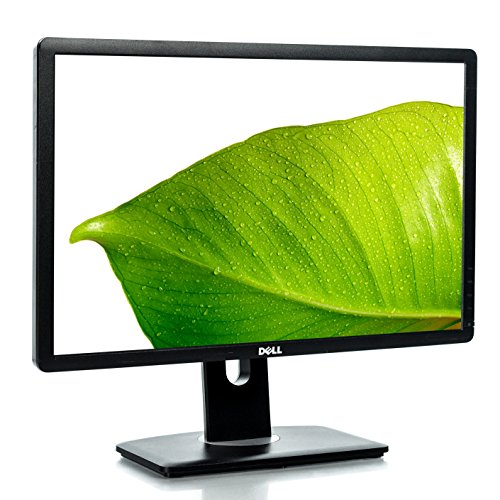
Dell Dell P2213
Monitors

Dell

Dell P2213: What Real Users Say About Daily Use

Mar 2026

Last Analyzed

6/10

Overall Rating

8

Positive Reviews

12

Negative Reviews

Summary

The Dell P2213 is a budget-friendly 1680×1050 monitor from 2013 that Reddit users frequently pick up second-hand for home office or multi-monitor setups at very low cost. Overall sentiment is pragmatically positive — users appreciate its build quality and value for the price, but the conversation is dominated by connectivity headaches, especially with modern AMD GPUs over DisplayPort. It's viewed as a reliable workaround monitor when you need extra screen real estate without spending much, but it requires patience to set up correctly with newer hardware. The audience is budget-conscious users, office workers, and people building secondary monitor setups on the cheap.

Pros

  • Extremely cheap to find second-hand — users report picking up units for as little as €30-35 each, making it one of the most affordable ways to add a monitor to any setup
  • Solid build quality for its age — multiple users still running them daily years after purchase with no hardware failures reported
  • Multiple input options (VGA, DVI, DisplayPort) give flexibility for connecting to older and newer systems alike
  • Works reliably over DVI and VGA with virtually any hardware, making it a no-fuss fallback for setups that don't need DisplayPort
  • Built-in USB hub is functional once properly connected via USB-B upstream cable, useful for powering peripherals
  • Good fit for portrait-mode secondary monitor use cases — lightweight and easy to rotate on compatible stands

Cons

  • DisplayPort connectivity is a recurring nightmare with modern AMD GPUs (RX 6600, RX 6650 XT, RX 6800 XT) — monitor frequently enters power save mode and refuses to output signal without elaborate workarounds
  • Decade-old drivers create real compatibility friction; Dell's official drivers are outdated and sometimes the monitor is only detected as a generic Plug and Play device
  • Native resolution of 1680×1050 is a non-standard aspect ratio that some users find limiting — not 1080p and not widescreen, meaning it doesn't fit neatly into modern multi-monitor workflows
  • Maximum 60Hz refresh rate makes it unsuitable for gaming or any use case where smooth motion matters
  • USB ports on the monitor require the upstream USB-B cable to be connected to the host PC — easy to overlook and causes confusion
  • DisplayPort-to-DisplayPort connections often fail entirely on modern GPUs; most workarounds involve DVI-to-HDMI adapters, which adds cable clutter and cost

DisplayPort and Modern AMD GPUs: A Known Headache

Across multiple threads, users with RX 6600, RX 6650 XT, and RX 6800 XT cards report the same issue: the P2213 goes into power save mode immediately after Windows loads when connected via DisplayPort. Workarounds exist — forcing 70Hz in AMD Adrenalin, using a second monitor during initial setup, or switching to DVI-to-HDMI — but none are plug-and-play.

Is a €30 Monitor Worth the Setup Pain?

Reddit's verdict on value is split by use case. Users who only need DVI or VGA connections call it an effortless bargain. Users who need DisplayPort for a modern GPU build describe a frustrating hours-long troubleshooting process just to get a signal. The monitor is genuinely cheap, but the hidden cost is time.

Still Running in Offices a Decade Later

Several users report inheriting P2213 units from workplace desk swaps or buying them in bulk for home office use. The consensus is that the hardware itself holds up — no dead pixels, no backlight failures mentioned. It's the software and connectivity layer, not the panel, that causes grief.

User Reviews (20 of 73 analyzed)

11
0
distroxr/r/ffxiv13d agonegative

The issue unlikely has anything to do with the monitor at all. It entering power saving mode just means it lost the signal, and because the monitor is on but not connected to anything, it goes to power saving mode.

View Original Comment
4
0
wtallisr/r/linuxhardware13d agonegative

The problem is most likely the DisplayLink adapter. An HDMI to DVI-D adapter is usually a completely passive adapter that just rearranges the wires of an HDMI connector to match a single-link DVI-D connector; they use the same electrical signalling. A DisplayLink adapter is an entire GPU connected over USB, and it needs software drivers to function. You never want to use DisplayLink unless it is definitely impossible to get any more video signals out of your main GPU.

View Original Comment
4
0
Kamariar/r/ffxiv13d agopositive

I have this monitor and think there's a sleep mode setting in the monitor itself that causes it. Try going into the main menu, then go to Others, then turn off 'Monitor Deep Sleep'.

View Original Comment
2
0
Loxl3yr/r/sysadmin13d agopositive

This worked for my PC: Power off. Connect a second monitor. Boot up. Install the AMD Driver and the Radeon Software. Restart. Use Windows to select your Dell monitor as 1st monitor. Shutdown. Disconnect the second monitor. Restart and congratulation.

View Original Comment
2
0
CallMePriestr/r/AMDHelp13d agopositive

Yes, it should work just fine if the ports on your monitor are working correctly.

View Original Comment
2
0
CallMePriest_2r/r/AMDHelp13d agonegative

I assume your TV connects with HDMI? Does your monitor also support HDMI? If it does, can you try using that instead of DP and seeing if that works? If it does work but DisplayPort doesn't, there might be something wrong with the card and it might need to be replaced.

View Original Comment
2
0
Goblin_Eye_Pokerr/r/pcmasterrace13d agonegative

Probably a long shot, but is your OM a higher resolution and/or refresh rate than what you're trying to add? Try lowering the resolution and refresh rate to like 1080p 60hz or something, and then connecting the new displays.

View Original Comment
2
0
Kamaria_2r/r/ffxiv13d agopositive

I own this monitor and it's amazing.

View Original Comment
2
0
ecwx00r/r/AMDHelp13d agonegative

what's your monitor and what's its connection?

View Original Comment
2
0
shifty_philr/r/linuxhardware13d agopositive

DisplayLink should work, but you need to install their drivers from the Synaptics website. However, if you have the option to use a real display output from your computer directly, it will be better to use that than DisplayLink.

View Original Comment
1
0
SimplePuzzleheaded80r/r/Dell13d agonegative

i was able to use mine only through the other ports, dp to dp did not work. Had to download the drivers (which are a decade old) and that allowed me to use vga to dp / dvi to hdmi. the monitors are old for these new video cards is my wild guess

View Original Comment
1
0
jex_portr/r/Dell13d agonegative

Until this point i just lived with the dvi connection.

View Original Comment
1
0
SimplePuzzleheaded80_2r/r/Dell13d agonegative

display port to display port didnt work.... only hdmi to dvi OR dvi to display port

View Original Comment
1
0
AlternativeWay4785r/r/Dell13d agonegative

I switched desks with someone at work and these monitors have been nothing but trouble. Two P2213s, one on a DVI to HDMI cable, the other on DisplayPort. Both are plugged into my ThinkPad dock. I've had them work twice, in fact, they were working this morning, until I locked my laptop for a bathroom break. I came back to just my laptop screen.

View Original Comment
1
0
storr84r/r/sysadmin13d agopositive

after these steps I reinstalled my second monitor via HDMI and everything went fine. Using only the DP monitor was like 'Oh, now I can see you'.

View Original Comment
1
0
Low_Bite_6405r/r/AMDHelp13d agonegative

Dell P2213 monitor 1680x1050p and 60hz and it is manufactured in 2013, its connections are VGA, DVI, Display Port and it doesn't contain an HDMI input

View Original Comment
1
0
MarSc77r/r/Dell13d agopositive

try a different (lower) refresh rate or swap the cable

View Original Comment
1
0
HuckleberryNo7240r/r/Dell13d agopositive

if you go to display settings and notice that your display is connected, hit the drop down to enable the device. If it still says disabled, uninstall your graphics driver from devmgmt.msc as admin then restart and reinstall the drivers then enable the device from dev mgmt

View Original Comment
1
0
Alive_Huckleberry389r/r/linuxhardware13d agonegative

I installed DisplayLink. But after plugging in the monitor, the sound stopped working. For some reason, it also tried to transmit audio. And there was no image on the other monitor. Also, the terminal kept saying that DisplayLink was not installed.

View Original Comment
1
0
Puzzleheaded_Wrap258r/r/Dell13d agonegative

On your PC, do you have an additional video card? Some motherboards will have more than one built in video out, but you can only use one at a time. Might need a video card that supports multiple monitors.

View Original Comment