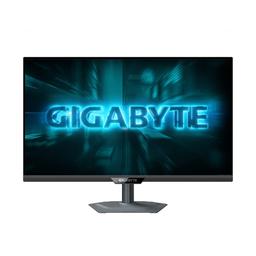
Gigabyte Gigabyte G27Q2
Monitors

Gigabyte

Gigabyte G27Q2 Reddit Verdict: Great Specs, Needs Tuning

Mar 2026

Last Analyzed

7/10

Overall Rating

32

Positive Reviews

9

Negative Reviews

Summary

The Gigabyte G27Q2 is a budget-friendly 27" IPS 1440p monitor running at 200Hz (210Hz OC) that's generating mostly positive buzz among first-time 1440p buyers and upgrade seekers in Europe. Users generally praise the build quality, smooth VRR performance, and the premium-feeling metal stand for the price. The main sticking point is out-of-box color calibration — the panel ships oversaturated and needs third-party tools like novideo_sRGB or manual OSD tweaking to look right. Horizontal viewing angles are noticeably weaker than expected for an IPS, drawing consistent complaints from those who care about off-axis color accuracy. It's a strong pick if you're upgrading from aging 1080p/60Hz hardware and want solid 1440p gaming on a tight budget, but more demanding users may want to look elsewhere.
Pros

  • 27" IPS 1440p at 200Hz (210Hz OC) with 0.5ms GtG — strong specs for the €160–175 price range in Europe
  • G-Sync compatible and FreeSync VRR both work reliably; multiple users report flawless VRR with no noticeable tearing or stuttering
  • Metal stand feels premium for the price, with pivot support and USB-A/C ports — physical build quality is frequently praised
  • Games like Cyberpunk and AAA titles look 'absolutely stunning' in sRGB mode according to multiple owners
  • No visible backlight bleeding or flickering reported by most units; dark uniformity is described as very good to the naked eye
  • Predecessor G27Q scored very well on rtings.com and the G27Q2 improves on refresh rate and color gamut on paper

Cons

  • Out-of-box colors are heavily oversaturated — sRGB mode fixes color but kills contrast, and the best results require installing novideo_sRGB and manually tuning RGB values
  • Horizontal viewing angles are disappointing for an IPS panel — colors wash out and darken noticeably when moving just a few centimeters off-axis
  • HDMI 2.0 only means Xbox Series X users are capped at SDR for 1440p@120Hz — no HDR over HDMI for console users
  • No publicly available firmware update despite the monitor prompting for one out of the box — Gigabyte's firmware support track record is poor
  • Gigabyte warranty service has been slow and frustrating for some users — one report of screen lines appearing after a year with a month-long replacement wait
  • At €225 it competes directly with the AOC Q27G4ZR and Dell AW2725DM, both of which offer more established reviews and potentially better out-of-box accuracy

Great Hardware, Frustrating Software: The Color Calibration Problem

Almost every G27Q2 owner ends up installing novideo_sRGB or manually adjusting RGB color temperature to tame the oversaturation. It's a fixable issue, but it shouldn't require third-party software on a monitor that ships in oversaturated mode with an sRGB toggle that sacrifices contrast.

The Best Budget 1440p Monitor Nobody Has Reviewed Yet

The G27Q2 launched with almost zero English-language reviews, leaving early buyers flying blind based on specs alone. For a monitor this capable at this price, the lack of professional coverage is striking — and the Reddit community has been filling that gap themselves.

Surprisingly Weak IPS Viewing Angles for Desktop Use

Multiple owners flagged that the G27Q2's horizontal viewing angles behave more like a VA panel than a typical IPS — colors shift and darken noticeably just a few centimeters off-center. For a single-user gaming setup this matters less, but anyone sharing the screen or using it for content creation should test in person first.

User Reviews (41 of 116 analyzed)

18
0
DeathBiChocolater/bapcsalescanada13d agopositive

Don't usually see 1440p 144hz IPS panels for this price. Can't comment on the quality of the monitor.

View Original Comment
15
0
v_i_o_l_e_tr/bapcsalescanada13d agopositive

Pretty solid monitor at this price, and it's actually in stock and not marked up 100% like the M series monitors. No KVM functionality if that matters to you. I've seen a few reviews here and there complaining that gigabyte's panels are inconsistent and their returns process is kind of annoying.

View Original Comment
14
0
Daniel_H212r/bapcsalescanada13d agopositive

I had this monitor for about a year. I had no complaints, it worked well, was colourful and bright enough, and I experienced no issues. Basically it's pretty much as advertised. Only small comment on the design is that the joystick control for the OSD is slightly inconveniently placed if you want a double or triple monitor setup with another monitor on the right side of this one.

View Original Comment
4
0
iWasAwesomer/bapcsalescanada13d agopositive

I have 3 of these monitors. Got them when they were on sale for $299. They seem really good. Tbh this is my first real PC setup so I don't really have much reference. But I'm enjoying them. No complaints.

View Original Comment
4
0
Peacemaker130r/bapcsalescanada13d agopositive

I don't think you can go wrong for this price.

View Original Comment
3
0
DavidMadhouser/Monitors13d agopositive

So I using this monitor for a week by now and i think i can finally share my view and my settings. I start with the colors, they're so much oversaturated and for me its way to much i can take. Srgb mode fix colors but u're loosing much of contrast so i dont recommend use it. Instead i recommend install program called novideosrgb and use custom mode. I changed temperature of colors in user mode to 50/49/46. Next gaming, of course u want use VRR because GSync works very well.

View Original Comment
3
0
NozE8r/bapcsalescanada13d agopositive

Based on the positive comments, rtings review and especially the price I placed an order to pickup. Thanks for sharing this sale!

View Original Comment
3
0
WutangCMDr/bapcsalescanada13d agopositive

They have a windows app to control the settings so you don't need to use the joystick.

View Original Comment
2
0
darkmanlvr/Monitors13d agopositive

Hi, after my old BenQ 27" 2k it is great. Also picture is nice and games works better with 144hz. Quality is good, weight is high. I think it will work good for many years.

View Original Comment
2
0
notaccelr/Monitors13d agonegative

Doesn't seem to be any publicly available firmware for it at the moment, I'd just unplug the USB up-stream cable for now and check back later if there's any updates available.

View Original Comment
2
0
Key_Description3262r/Monitors13d agonegative

I have the same model but with 1080p after a year there were many lines on the screen and I have claimed warranty. Its going to be one month now they have not replaced it. It will take another 3-4 weeks but they will replace it with a 1440p. The same thing also happened to my friend also. Never seen a problem with lg samsung msi. Hope it helps. Overall without the green line issue it's a good monitor in budget.

View Original Comment
2
0
Dplex920r/Monitors13d agonegative

Xbox only supports HDR at 4K and since the G27Q2 has HDMI 2.0, no, it will only be able to do 1440p@120Hz in SDR. It isn't a true HDR monitor anyway so this makes practically no difference. If you want real HDR you'll have to get a mini-led or OLED with HDMI 2.1 to output 4K@120Hz HDR, even if it's a 1440p panel.

View Original Comment
2
0
Pekish_r/Monitors13d agopositive

Windows will be able to use the full 1440p 210hz HDR. It doesn't have limits like Xbox.

View Original Comment
2
0
cactuzjakr/bapcsalescanada13d agopositive

I got one a year ago when they were on sale for $299. I have zero complaints.

View Original Comment
2
0
Dougliter/bapcsalescanada13d agopositive

Picked this up, been waiting a while to upgrade.

View Original Comment
1
0
Complete_Mango7069r/Monitors13d agopositive

I got this monitor a week ago, it feels on the premium side with the design and feel in my opinion but i feel like the viewing angles are not great, i mean vertical is good but on horizontal the colors / luminosity goes down if i move a bit to right or the left, feels like an VA but without the red shifting. On a dark screen to the naked eye the glow it looks very uniform, no bleeding that you can see but on the camera you can see it. The colors are great on bright screen.

View Original Comment
1
0
Complete_Mango7069r/Monitors13d agonegative

I agree, the problem is that i checked other Gigabyte monitors that only have a USB for firmware update and none of them had any firmware updates, so if i have to guess probably this monitor wont get any updates unless there is something very broken with it. I think ill return mine next days but i cant find something better in this price range, the specs of this monitor looking very good on paper.

View Original Comment
1
0
DashEpicr/Monitors13d agopositive

Alright so, again, im no monitor expert so take what i say with a grain of salt but my first impressions are really positive. Having played on 1080p 60hz on a monitor from 2012 for the past 5 years this was a huge upgrade. The 200hz is extremely smooth and responsive. Freesync/VRR works flawless. Good contrast. There is no flickering at all and no back light bleeding from what i've observed. Viewing angles are good, at least compared to my old monitor. 1440p looks amazing as expected.

View Original Comment
1
0
Snoo35822r/Monitors13d agopositive

So, I've got it yesterday and it's pretty good for its price. I know nothing about monitors but after my previous one, this one is dope. I didn't notice anything bad. Installation was easy. Also metal base looks and feels amazing.

View Original Comment
1
0
SiliconEconomistr/Monitors13d agonegative

Can you check if the viewing angles are okay on this monitor? Can you record rotating the camera horizontally?

View Original Comment
1
0
Complete_Mango7069r/Monitors13d agonegative

I guess they are okish, i dont really like them. Vertically are ok but horizontally you get that gray 'overlay' (it gets washed) when looking from a side, its like you have bad contrast, the colors are getting darker, pretty noticeable even when moving just a few cm to the left or right. If you are close to the monitor and you have a blue background you can see it darker on the edges of the monitor but if you are getting farther away they are normal.

View Original Comment
1
0
Ok_Construction_8417r/Monitors13d agopositive

I bought it, it's actually pretty good. Without touching anything and just using SRGB mode, i see very nice colors, games like Expedition 33, Cyberpunk, Ragnarok, Apex look absolutely stunning. Some people said it has reddish skin color effect, in my situation that was not the case, colors are vibrant but everything looks normal as it should. Would buy again, i think theres no better deal at this price range.

View Original Comment
1
0
BurglarBobr/Monitors13d agopositive

I just went with the cheapest IPS, 1440p, 200+hz option. I didn't like the VA displays that i've had experience with.

View Original Comment
1
0
Mineplayerminerr/buildapcmonitors13d agopositive

I would go with the Gigabyte G27Q2, which is 165€ in my country and I think it's better than the Dell ones in terms of the OSD settings.

View Original Comment
1
0
Pizza_For_Daysr/buildapcmonitors13d agopositive

Probably would go for the cheaper AW or Gigabyte unless you really need 280Hz for competitive multiplayer games.

View Original Comment
1
0
jegors322r/Monitors13d agopositive

On PAPER it looks very good. I was comparing the specs of the g27q2 to the g27q. The g27q has very good reviews and rating on rtings.com and looking at the specs alone the g27q2 is better, it has higher refresh rate, faster response time (maybe, no one has tested it though), and better colours. Im probably gonna get it, it costs 160 euro in my country.

View Original Comment
1
0
NiftyDriv3rr/Monitors13d agopositive

I have this monitor on my scope, but a bit resistant due to lack of reviews available. I am choosing between Gigabyte G27Q2 and Xiaomi G27Qi. Minimalistic and adjustable metal stand and USB ports looks very convincing. Panel states to have higher response time and higher refresh rate. So it looks absolute winner.

View Original Comment
1
0
Think_Currency1798r/Monitors13d agopositive

I compared with a couple of different monitors but since this one was mentioned as 'new' and immediately 40% off in my country, i ordered 2 of them last week, arrived today and ill install them tomorrow.

View Original Comment
1
0
Fearless_Mousse1763r/gigabytegaming13d agopositive

I would recommend G27Q2, that one is your overall best choice I think, new model, wider color gamut, type c, and the monitor can pivot. It is available in eastern Europe and is in similar price range.

View Original Comment
1
0
Coolusername099r/bapcsalescanada13d agopositive

Good monitor. Had it for 6 months now looks great.

View Original Comment
1
0
biggains2233r/bapcsalescanada13d agonegative

There are some weird high pitched sounds that come from the power supply whenever the standby LED on the monitor is blinking (when the monitor is in sleep). This may be very annoying if your monitors are in the room you sleep in. I haven't found a fix for this unfortunately.

View Original Comment
1
0
iLikeToBiteMyNailsr/bapcsalescanada13d agopositive

Picked mine up today. Great value. It's the 1440p 144hz deal I've been waiting for.

View Original Comment
1
0
Efficient_Builder_55r/Monitors13d agopositive

What the deal with viewing angles stuff? You guys are going to be looking straight at the monitor that's in front of you, thinking about viewing angles is just a waste of your time.

View Original Comment
1
0
En0derr/Monitors13d agopositive

No speakers, but you can connect headphones or external speakers with minijack and that's when volume control should work.

View Original Comment
1
0
mmakeithappennr/bapcsalescanada13d agopositive

Good monitor, just added the m34wq to my setup too.

View Original Comment
1
0
jegors322r/Monitors13d agopositive

I got the aoc q27g4zr for 170 euros, and there's actually good reviews on it on youtube.

View Original Comment
1
0
curry_blasterr/Monitors13d agonegative

Does anyone have good preset settings for the monitor. I feel it's too bright when I'm trying to work and read, I tried meddling but now it's very bright/saturated.

View Original Comment
1
0
Large-Ad6125r/Monitors13d agopositive

So, it is good? We can find it at 130€ in France at this moment.

View Original Comment
1
0
T0rd20r/Monitors13d agopositive

Ah that sucks but still 1440p@120hz SDR is better than 1080p@60hz SDR.

View Original Comment
1
0
Training_Blueberry96r/Monitors13d agonegative

Anyone with this monitor knows the peak brightness in HDR?

View Original Comment
1
0
zephyrinthesky28r/bapcsalescanada13d agopositive

The RTings review says it's 'G-Sync compatible (tested)', but not officially certified by Nvidia.

View Original Comment