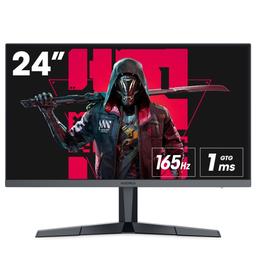
Koorui KOORUI 24E3
Monitors

Koorui

KOORUI 24E3 Reddit Verdict: Great Value, Rough Edges

Mar 2026

Last Analyzed

7/10

Overall Rating

27

Positive Reviews

16

Negative Reviews

Summary

The KOORUI 24E3 is a 24-inch 1080p 165Hz Fast IPS monitor that built a strong reputation as one of the best budget options under $100. Reddit sentiment is broadly positive — users are impressed by what they get for the price, particularly the smooth 165Hz experience and improved stand design on newer units. That said, it's not a plug-and-play experience: out-of-the-box colors are consistently criticized as inaccurate, requiring manual calibration, and 165Hz is only achievable via DisplayPort. It's best suited for budget-conscious gamers who don't mind tweaking settings and aren't doing color-critical work.

Pros

  • 165Hz at under $100 is genuinely hard to beat — users consistently say it doesn't look or feel like a monitor at this price point
  • Fast IPS panel delivers better motion clarity than VA alternatives like the 24E4, making it the preferred pick for FPS gaming at this price
  • FreeSync Premium works reliably with both Nvidia (G-Sync compatible) and AMD GPUs once enabled in monitor settings
  • Newer hexagonal stand is significantly more stable and less space-hungry than the old V-shaped design
  • Colors can be dialed in to a surprisingly good level — one user with a ColorChecker reported delta E of ~0.3 after calibration, with 94% sRGB coverage
  • Long-term durability holds up for most users — multiple owners report 2+ years of use with no hardware failures

Cons

  • Out-of-the-box color accuracy is poor — heavy orange/green tint is the most common complaint, requiring NVidia Control Panel or AMD color adjustments just to get usable colors
  • 165Hz requires DisplayPort; HDMI 1.4 caps out at 144Hz, which is a real limitation for laptop users with no DP output
  • Max brightness of ~250 nits is low — users in bright rooms or coming from WLED backlit monitors often find it too dim even at 100%
  • Quality control is inconsistent — dead pixels, IPS glow, and early failures are reported often enough that some users describe it as a 'gacha' product
  • No height adjustment on the stand — a monitor arm is nearly a mandatory add-on for ergonomics
  • Warranty and support is weak in some regions (notably the UK) with no local technical support, and the dead pixel return threshold requires 3+ pixels

The Color Fix That Every Owner Ends Up Googling

A dedicated subreddit thread for color correction settings has become a de facto manual for this monitor. The fact that users need custom RGB values, hue tweaks, and ICC profiles just to get accurate colors says a lot — but the upside is that the community has largely solved it.

The Best Sub-$100 Gaming Monitor — If You Use DisplayPort

At its price point, the 24E3 is hard to argue with for desktop gamers. But laptop users with only HDMI are stuck at 144Hz, and that asterisk quietly disqualifies it for a significant portion of budget buyers.

Two Years In, Most Users Still Wouldn't Return It

Despite the QC lottery reputation, the majority of long-term owners report zero issues after 1-2 years of daily use. For a sub-$100 monitor, that's a better track record than the occasional dead pixel horror story suggests.

User Reviews (43 of 214 analyzed)

33
0
AirCombatF22r/buildapcsales13d agopositive

In for one, thanks OP. Obligatory comment for others that Optimum Tech reviewed this monitor and strongly recommended it at $115.

View Original Comment
12
0
Tricky_Spinach_2408r/PHbuildapc13d agopositive

I own a 24e3. Hindi ganon kaganda colors nya sa totoo lang. Hindi rin maganda build quality. But its decent for its price. Nagkaron na rin ng very noticeable ips glow yung sakin. But its definitely a good value for its price.

View Original Comment
6
0
Wzhouiupr/buildapc13d agopositive

After calibration with my ColorChecker, deltaE is about 0.3, 94% sRGB gamut coverage, 134% sRGB. But thats with my panel - there will likely be some variance.

View Original Comment
6
0
jellyfish1047r/PHbuildapc13d agonegative

Koorui uses same panels as other models so likely they have economies of scale on that. Plus less brand premium and other costs. Also 24e3 V1 has blueish colors so not really good colorwise.

View Original Comment
5
0
smoothartichoke27r/PHbuildapc13d agopositive

The difference between 144Hz and 165Hz is miniscule. I doubt you'll ever notice the difference. You're plugging it into a laptop. Unless you're just running e-sports games, you're very likely not going to hit 165Hz or even 144Hz on modern titles.

View Original Comment
3
0
heyunoriginalr/buildapc13d agopositive

I'd say yes, especially if you get it on sale. Better motion clarity than my previous main (Asus vg249 which was around 250-300 I don't remember exactly), bezels are thin, gsync works well. the only real down side like this post mentions, is bad colors, but after tweaking it, it actually can get better colors than the Asus one.

View Original Comment
3
0
Witch_King_r/buildapcsales13d agopositive

Damn, good price for the spec. Unfortunately doesn't look like it has height adjustment. I guess the solution is just to get a VESA arm and never need to worry about that again.

View Original Comment
3
0
Ok_Establishment5815r/Monitors13d agonegative

glad I saw this post, not gonna lie I was pretty convinced at first cause it claims to have accurate screen color 99% sRGB, was also planning to buy this one and use this for Photo/Video Editing and some 3D Stuff. But unfortunately it's not a good option for that.

View Original Comment
3
0
ryuzaki3212r/PHbuildapc13d agonegative

Hello! Yes. I bought the ViewSonic VX2479-HD-PRO 180hz. I absolutely love it. I got it for ₱6,844 on Shopee.

View Original Comment
2
0
conquer69r/buildapcsales13d agopositive

Optimum tech did a review of this monitor specifically. It's fine but you might wanna buy a monitor arm with the money saved.

View Original Comment
2
0
MrBombastic1986r/PHbuildapc13d agonegative

Cheap components that fail faster than usual.

View Original Comment
2
0
NeedButtholePlungerr/buildapc13d agonegative

Hdmi will only give you 144hz, since you don't have DP you are stuck with the 144hz. The monitor is trash anyway, it died after some months and it wobbles like hell, horrible purchase.

View Original Comment
2
0
Jeffzuzzr/PHbuildapc13d agopositive

id rather not touch anything and just be contented with 144hz. theres barely or any difference at all.

View Original Comment
2
0
Alexander5upertramPhr/PHbuildapc13d agopositive

Almost identical specs but the v2 improves color accuracy and adds features such as sharpness and more detailed color settings. Looks like that explains the massive sales on the 24e3.

View Original Comment
2
0
Fearless-Tension9384r/buildapc13d agopositive

nvidia control panel > display > change resolution > use nvidia color setting > choose ycbcr422 as color format. your welcome :D

View Original Comment
1
0
samsummer143r/Monitors13d agopositive

i have mine for 3 months already and no issue.

View Original Comment
1
0
Miserable-Spirit-519r/Monitors13d agopositive

this kind of brand is like gacha, if u get the good one, its very very good, if its not, oh boy... lucky I got a good one

View Original Comment
1
0
Kellykelir/Monitors13d agopositive

Still going strong in Dec 2025 (I got mine when this post was posted)

View Original Comment
1
0
Loud-Location9098r/Monitors13d agonegative

good monitor but i personally feel like the response time is a little slower compared to other monitors, which i guess is fine since its one of the cheapest monitors on amazon.

View Original Comment
1
0
Sed1tionr/Monitors13d agonegative

Dont buy in the U.K. There is no technical support or warranty. You will have to go through the point of sale or your Paypal to get your money back.

View Original Comment
1
0
Dry_Ad_5358r/Monitors13d agopositive

I have the version 2, 200hz G2411P model and its response time and input lag is so good that I can't imagine this is an IPS panel, I've used zowie xl2411p 144hz, ASUS ROG xg249q 240hz and 165hz Acer VG0. this is my favourite.

View Original Comment
1
0
Nobitksir/Monitors13d agopositive

I have had this monitor since Dec. 2023 and it still holds up no issues whatsoever.

View Original Comment
1
0
riopowerr/buildapcsales13d agopositive

Good display for the money per review. Terrible stand, so be ready to get monitor arm.

View Original Comment
1
0
iTurretr/buildapc13d agopositive

Thank you so much. Especially the 7 degree hue tint helped a lot with the colors of the monitor. They just seemed a little off. I personally play cs and (way too) vibrant colors really dont bother me for that game, so that's fine. But it kinda just looked 'muddy' as you said. Using some of your settings, it started looking more like i am used to from other monitors!

View Original Comment
1
0
DamTheFamr/buildapc13d agopositive

Thank you so much, expecially orange and blue tones made me go crazy on this monitor. Your settings made it appearing just like my main monitor! Glad i don't have to return the 24E3!

View Original Comment
1
0
Bear-Representativer/buildapc13d agonegative

i tried using this advice and the colors were extremely off. Coming from photography and video, to me, these are certainly not accurate colors for any kind of color accurate editing, be it digital design or anything else of that matter. That being said - you should NOT do that kind of work on this monitor.

View Original Comment
1
0
LuckyGnomr/buildapc13d agonegative

I still find 24E3 being too dark for me, even at 100 brightness. I own two BenQ monitors with WLED backlight and they are so much brighter, even tho their colors are worse.

View Original Comment
1
0
JMTchongMbamir/buildapc13d agonegative

Thank you, i tried to fiddle with my own settings but could never get happy. Your settings seem more color accurate though i find the screen very dim, I have to push the brightness in the monitor at 85%. Why did i get a random ass chinese monitor :(

View Original Comment
1
0
Darpeesyr/buildapc13d agonegative

To those who are looking for a monitor to buy, I don't think this is the one, yes it cheap, but its not that good. Its a good starting monitor but not so much overtime. Also, CHANGE YOUR REFRESH RATE TO 165hz AS SOON AS YOU GET IT!!

View Original Comment
1
0
Jeffzuzzr/PHbuildapc13d agopositive

been using a 24e3 for about 2 years now and no problem. go for it OP if youre looking for something cheap and good.

View Original Comment
1
0
OhSheesh13r/PHbuildapc13d agopositive

I have two of their monitors, 27e3qk, 27in 1440p 240hz IPS, this one is amazing, very fast IPS and accurate colors, build quality is surprisingly good as well, all the adjustability you can think of. I mainly use it for esports. SULIT.

View Original Comment
1
0
samsummer143r/Monitors13d agonegative

Wdym its a new release product. This model has been released for almost a year before i got this exact model. Its not like this is a pre order product. If a product has countless reports of defects, thats not normal for a product.

View Original Comment
1
0
MrFlurtyr/Monitors13d agonegative

I bought one and there it is a dead pixel only 1 thou but it was somewhat in the middle and now I can't unsee it like why in the middle why not in the corners? So yeah that's all somewhat annoyed by that but is manageable.

View Original Comment
1
0
PastRiver8899r/Monitors13d agonegative

Most brands have a 'dead pixel policy', you should read into this before buying, but i think this is especially expected with ultra-budget brands like koorui. Even higher end brands like BenQ have similar policies.

View Original Comment
1
0
Old_Replacement5035r/buildapc13d agopositive

nah iv had it 6 months now and works just fine no dead pixels nothing.

View Original Comment
1
0
Icy_Application_4535r/PHbuildapc13d agopositive

been using this for 3 days plang. so far so good! worried ako baka may damage sa shipping, tho wala naman. wala ding stuck pixels or bleeding. got it for 4,800 sa shopee.

View Original Comment
1
0
Nice_Boysenberry3480r/PHbuildapc13d agopositive

I prefer the K24e3 (version-2) much better color and more hertz. Its worth enough than the other monitor that only have limited specifications.

View Original Comment
1
0
Makkiebobor/Monitors13d agonegative

Apparently it has gsync, but in my nvidia control panel it isnt listed as supported, and its not listed as having it on the nvidia website, seen other people with this same issue, but even more saying it has got g sync so i think its luck of the draw, but you will probably be fine.

View Original Comment
1
0
heyunoriginalr/buildapc13d agopositive

If by that you mean gsync/freesync, it does work with gsync, just make sure to enable the freesync in the monitor settings (off by default), then enable gsync like normal in nvidia. One thing to note, for games running at 60fps you will get weird low fps in menus, like stuttery. To fix it, just disable gsync per game that has the problem.

View Original Comment
1
0
SkillzHub123r/Monitors13d agopositive

Hey so I ended up buying this monitor and it's been amazing. 2 months in and no issues.

View Original Comment
1
0
Positive_Initial_841r/Monitors13d agonegative

Hi, is 250 brightness Peak enough? Looks a Bit low in 2025....

View Original Comment
1
0
BeachHealthy6332r/PHbuildapc13d agopositive

Yung 24E3 24" ko nabasa na nang ulan. Ginamit ko lang hanggang natuyo pero may dots na nag red na ewan di na natanggal. Yung color, need lang konting adjustments. Pero almost a year palang to so far, okay naman.

View Original Comment
1
0
julodegraciar/PHbuildapc13d agopositive

I both have 144hz and 165hz which is my 24e3. You wont notice any difference coming from me who used 144hz a long time. So dont be bothered by it.

View Original Comment