MSI MSI MPG 271QRX QD-OLED
Monitors

MSI

MSI MPG 271QRX: What Real Users Actually Think

Mar 2026

Last Analyzed

8/10

Overall Rating

26

Positive Reviews

17

Negative Reviews

Summary

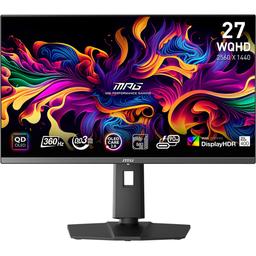
The MSI MPG 271QRX QD-OLED is a 27-inch 1440p 360Hz gaming monitor that has earned a strong overall reputation among Reddit users, particularly for its QD-OLED panel quality, buttery motion at 360Hz, and competitive pricing compared to alternatives like the Alienware AW2725DF. It sits squarely in the enthusiast gaming segment and is best suited to competitive and immersive single-player gamers who prioritize motion clarity and color vibrancy over raw pixel density. Early firmware bugs around HDMI console mode, VRR flicker, and no-signal on startup caused real frustration at launch, but MSI actively engaged with the community and most issues were resolved through firmware updates. SDR brightness is a consistent point of criticism, though users in dim environments generally find it more than adequate. The glossy QD-OLED finish is polarizing — fans love the vibrancy, while those prone to glare or who do heavy desktop work should be aware.
Pros

  • 360Hz at 1440p delivers genuinely smoother motion than 240Hz panels — multiple users switching from 144Hz and 240Hz IPS monitors describe the upgrade as immediately noticeable in competitive games like Valorant and Rocket League.
  • QD-OLED color volume outperforms WOLED rivals in HDR — community members cite richer color accuracy and vibrancy compared to WOLED-based monitors like the LG C4, particularly in DisplayP3 and HDR modes.
  • Built-in KVM switch and 90W USB-C Power Delivery set it apart from the cheaper MSI MAG 271QPX variant and most competing panels, making it genuinely practical for multi-device desks.
  • Price-to-feature ratio is strong at its typical street price — Reddit repeatedly notes it undercuts the Alienware AW2725DF by around $100 while offering nearly identical panel performance.
  • MSI Command Center software and OSD allow meaningful tweaks from the desktop; firmware updates have addressed the majority of launch bugs including flickering, HDR/SDR switching bugs, and no-signal startup issues.
  • Packaging and build quality are praised — comes with a protective film, no reported scratches out of box, and a solid passive heat sink design distinguishes it from competitors.

Cons

  • SDR peak brightness is low by gaming monitor standards — users accustomed to bright IPS or VA panels frequently mention the initial shock, and it is noticeably dimmer than high-end mini-LED alternatives.
  • No DisplayPort cable included despite the monitor requiring DP for firmware updates and best performance — a frequent complaint given the $700-800 price point.
  • DLDSR is blocked by mandatory DSC compression at 360Hz over DP 1.4, which matters to 4090 owners who rely on AI-upscaled resolutions in lighter titles — ASUS competitors allow DSC to be disabled.
  • Text fringing from the QD-OLED subpixel layout is a real limitation for general desktop and productivity use — users doing heavy text work or coming from sharp IPS panels consistently notice color fringing on fonts.
  • OLED Care pixel shift implementation causes a visible snap when the image resets its position — at least one user returned the monitor specifically because this motion caused nausea during daily desktop use.
  • MSI's warranty support is weak compared to Dell's: users must pay to ship the unit to an authorized repair center, while the Alienware AW2725DF offers a 3-year burn-in warranty with advance panel replacement.

360Hz Feels Real — But Bring Your Own DP Cable

Owners consistently confirm the 360Hz experience is a genuine upgrade from 240Hz in motion-heavy games, but early buyers were blindsided by launch firmware bugs that required a DisplayPort connection to fix — a cable MSI doesn't include.

The KVM and USB-C Make This More Than Just a Gaming Panel

Unlike most competing QD-OLEDs at this price tier, the 271QRX includes a full KVM switch and 90W USB-C charging, making it a practical hub for users juggling a gaming PC and a work laptop — not just a spec sheet differentiator.

Great Monitor, Rough Daily Driver

For games and HDR video the 271QRX earns consistent praise, but desktop users report visible font fringing, an intrusive pixel-shift snap, and OLED Care dimming behaviors that make it noticeably less comfortable than an IPS panel for productivity-heavy workloads.

User Reviews (43 of 390 analyzed)

33
0
deleted_lz3uiu4r/buildapcsales14d agopositive

Purchased this for $630 a month a half ago and highly recommend. It somehow looks better than my 48" 4k C4. Rather game on this thing at 1440p and highest possible settings

View Original Comment
14
0
justhere440r/OLED_Gaming14d agonegative

800 usd monitor doesn't have a dp cable in it? Wtf?

View Original Comment
13
0
ChairmanMiawr/buildapcsales14d agopositive

Jumping on this over AOC. I'm hoping KVM and Type C will make switching from home desktop and my work laptop a breeze.

View Original Comment
12
0
RogueIsCrapr/OLED_Gaming14d agopositive

Nice, I feel like 1440P still makes more sense for most gamers. Even with a 4090, I often want more fps at 4K.

View Original Comment
12
0
CryptographerNo450r/OLED_Gaming14d agonegative

It's surprising how here in the U.S., they sell the MAG versions for $50 cheaper and a lot of consumers are not aware of the elephant in the room when it comes to their inability to receive firmware updates. I can't imagine buying a piece of hardware that has no ability to receive patches or fixes.

View Original Comment
11
0
AgentFaulknerr/buildapcsales14d agonegative

Love this but heads up if you haven't had a glossy QD Oled; buy microfiber cloth and distilled water beforehand. These smudge just by looking at it and you won't be able to clean it without having distilled/deionized water or an ethanol solution.

View Original Comment
10
0
Prodrummer1603r/OLED_Gaming14d agopositive

Sounds good apart from the already discussed SDR-HDR-Switching-Behaviour. Hope MSI releases a Firmware Update to smooth this out. Seems like the MPG271QRX will become my next Monitor even If I have to spend 100€ more.

View Original Comment
10
0
Geralt-of-Rivianr/buildapcsales14d agopositive

The fact that this beats the price of the Alienware AW2725DF, XG272-2K, and LG 27GR95QE is amazing. And the specs are very similar to the Alienware.

View Original Comment
9
0
penguin032r/buildapcsales14d agopositive

True but they also do a really good job at making it impossible to tell they're dirty while turned on as an added plus.

View Original Comment
8
0
Nitrozikr/OLED_Gaming14d agonegative

I have the same monitor and the same problem with the flickering small white lines. I hope it gets solved cause the only solution i have found until now is lowering the hz to 240. It kinda defeats the purpose of this monitor…

View Original Comment
8
0
Ricey20r/OLED_Gaming14d agopositive

For the HDMI 2.1 and 4k signal thing, this is caused by the monitor scaling 4k:2k for consoles. You can fix this by going into your GPU control panel and switch the scaling from 'Monitor' to 'GPU'. This makes it so the monitor doesn't try to scale everything because it's always in console mode.

View Original Comment
7
0
h81sr/OLED_Gaming14d agopositive

can confirm, no eye strain on mine. played 20 hours now in the last 2 days

View Original Comment
6
0
Lattimiusr/OLED_Gaming14d agonegative

After 2 min without using the monitor, the brightness dims because of the OLED Care, until there, everything's right. But twice since the past week, when I start using the monitor again, the brightness doesn't go back to its normal values, I have to turn off and on the monitor again or switch the HDR from 1000 to 400 and back to 1000 to fix it.

View Original Comment
6
0
xJin678r/OLED_Gaming14d agopositive

I had the same issue with washed out colors, but realized Windows 11's automatic manage color for apps was causing it. Once I toggled that off, things didn't look washed out anymore. Can also check Nvidia settings is set to 10-bit color depth and Full output dynamic range.

View Original Comment
5
0
xbelanglosr/OLED_Gaming14d agopositive

According to Monitors Unboxed the sRGB is supposedly very good.

View Original Comment
4
0
DETERMINOLOGYr/OLED_Gaming14d agopositive

MSI may not have the best brightness but when you look at the color volume and the color accuracy it can produce let's say next to LG C4, the Msi monitor being a QD OLED will smoke it. W OLED monitors are the reason why you see people say 'my monitor looks dull in HDR'. Due to low color volume

View Original Comment
4
0
ssdjr/buildapcsales14d agopositive

It's an absolute stunner. A major upgrade from the Viewsonic XG2431 I was using. I have a Samsung S90C so I knew what to expect. But the pixel density is so much nicer. I really like how you can use the MSI Command Center to tweak settings from the desktop. The included stand is nice but the MSI MT201 monitor arm I now have it on is amazing.

View Original Comment
4
0
peremptor919r/OLED_Gaming14d agonegative

HDR is a pain in the ass to deal with on the PC overall and like the OP says it's only worth the aggravation sometimes. Most of the time I prefer regular standard definition.

View Original Comment
3
0
grurrar/OLED_Gaming14d agonegative

I ended up returning mine. Main reasons: 1. Pixel shift made me nauseous (it gradually moves the image sideways over a few minutes, which you dont see, but then it blinks it back to its original position to restart the cycle, which is absolutely horrible for daily non game/movie use). 2. The subpixel arrangement looks like junk for non game/movie use. I couldnt get used to it unfortunately. But for movies and smooth game content it was amazing. Just not a daily driver for me.

View Original Comment
3
0
No_Satisfaction_5675r/OLED_Gaming14d agonegative

2 months later and still not fixed, just got mine 4 days ago, the firmware update is done, and same problem when using DP cable. Edit: I have found a solution, in the osd, 'settings' then 'Power Button', when it's set to 'Standby', It works like it should be.

View Original Comment
3
0
DavidjonesLV309r/OLED_Gaming14d agonegative

I get strange horizontal lines that occasionally pop up when opening programs that are dark and during games, not running VRR either. I love the monitor, but this is killing me.

View Original Comment
3
0
MurkyBlackBearr/OLED_Gaming14d agonegative

I have most of the same issues with my unit. Using 4090 and included HDMI Cable, I can't use fullscreen mode in any games as VRR just doesnt work at all. The stutter makes it look like 30hz not 360. I get the white lines flickering at 360hz. I get random Red, green, blue slideshow and have to unplug and replug hdmi or restart pc to fix that.

View Original Comment
3
0
Financial-Scallion79r/OLED_Gaming14d agopositive

Agreed. QD-OLED is better than WOLED but that's just my opinion. Plus most their panels are glossy which I prefer over matte.

View Original Comment
3
0
MintyFenixr/OLED_Gaming14d agopositive

Go to Gaming tab, and change from Premium Color to User. Then go to Professional tab, Pro mode, change it to Display P3.

View Original Comment
2
0
Wing_Nut_93xr/OLED_Gaming14d agopositive

I tried the LG 27GR95QE and right around when it released and returned it because full screen games would activate the 'console' mode for 4k downscaled to 1440 at 120hz. They eventually fixed that I believe but I didn't purchase it again. The 271QRX is my first real experience with OLED and it's been wonderful. I disabled DSC since I don't need the extra 120hz and would prefer to avoid alt tab issues etc. this is a wonderful display and I don't regret my choice at all.

View Original Comment
2
0
agnosticautonomyr/OLED_Gaming14d agonegative

How do you not provide a cable on a $800 monitor?!

View Original Comment
2
0
AlarmedAd6977r/OLED_Gaming14d agonegative

1st order was placed 2 days ago, returned cuz I can't stand the buzzing sound, the customer service called it as normal for MPG271QRX model, since it has a built-in power adapter.

View Original Comment
2
0
redditjulr/MSI_Gaming14d agopositive

I have the same monitor since it released early 2024 and did quite a lot of testing. You should definitely turn off the Multi-Logo Detection and Boundary Detection as it can cause some issues with overall brightness. In my testing it reduced the overall brightness of the whole screen and not only logos even when there are no static elements present and while you are watching something.

View Original Comment
2
0
SilverDonor/OLED_Gaming14d agopositive

I wasn't an MSI fan, but did a lot of research and RTING recommended it and I am so happy with it.

View Original Comment
2
0
reapers_ed1t1onr/OLED_Gaming14d agopositive

I have the same monitor, absolutely love it.

View Original Comment
2
0
Istartedthewarr/buildapcsales14d agopositive

if you play fast paced games a lot, then yes. I went from a 165hz LCD to 240hz LCD to 240hz OLED and thought it was a worthwhile upgrade (way clearer in motion despite same refresh). I play competitive FPS a lot though.

View Original Comment
2
0
globalrebelr/OLED_Gaming14d agonegative

Really interested in this monitor but holding off now until these issues are resolved. I may just end up going LG, but would like to stick to QD-OLED if I can.

View Original Comment
2
0
BadDogg7r/OLED_Gaming14d agopositive

Just got this monitor myself. New firmware release, 010 and can confirm that the 'LED off' is an option in the menu.

View Original Comment
2
0
D3ADP00LAT420r/OLED_Gaming14d agopositive

Was thinking of switching from my ultra wide to a PG27AQDM but after watching this review I'm gonna opt for this monitor instead.

View Original Comment
2
0
GONA_B_L8r/OLED_Gaming14d agonegative

Anybody with similar issues where the back of the monitor rattles as if the board is not attached correctly, or is that meant to be like by design etc due to the heatsink and what not?

View Original Comment
2
0
simenadr/OLED_Gaming14d agonegative

I have the same monitor and I struggle a lot when I tab out of games. I get 'DP no signal' and it can turn on and off for 30 seconds. Sometimes I have to restart my computer.

View Original Comment
1
0
WolfMoon66r/OLED_Gaming14d agopositive

I've put about 96 hours into the monitor now. I'm still happy with my purchase. I've had very little to no technical issues. I've had no dead pixels, intense flickering, or change in brightness over time. The display is very colorful and accurate and the inky blacks are great.

View Original Comment
1
0
Qubusifyr/OLED_Gaming14d agopositive

sRGB is very good to my eyes. Looks identical to my aw3423dw I use in creator sRGB mode.

View Original Comment
1
0
DavidjonesLV309_replyr/OLED_Gaming14d agopositive

Firmware update fixed it.

View Original Comment
1
0
Drknight71r/OLED_Gaming14d agonegative

Bought mine with extended 2 year warranty and I never buy extended warranty for anything.

View Original Comment
1
0
QuinnyTheBardr/OLED_Gaming14d agonegative

The banding on this monitor in dark scenes is ludicrously bad.

View Original Comment
1
0
Palestinianheror/OLED_Gaming14d agopositive

with this monitor hdr 400 and g sync enabled I feel the vrr flicker is significantly reduced. especially in games like call of duty I tried hdr off lots of flickering hdr400 significantly less flicker in gameplay.

View Original Comment
1
0
AirlineZestyclose941r/OLED_Gaming14d agopositive

just picked a refurb up for 475

View Original Comment