MSI MSI Optix MAG342CQR
Monitors

MSI

MSI MAG342CQR Reddit Verdict: Great Deal or VA Nightmare?

Mar 2026

Last Analyzed

6/10

Overall Rating

27

Positive Reviews

14

Negative Reviews

Summary

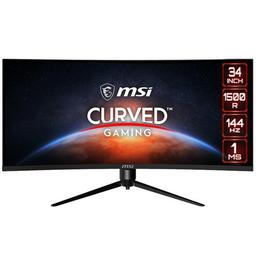
The MSI Optix MAG342CQR is a 34-inch curved UWQHD (3440x1440) VA panel monitor running at 144Hz, aimed at budget-conscious ultrawide shoppers who want the widescreen experience without paying OLED prices. Community sentiment is genuinely mixed — owners who came from older 60Hz or 1080p displays tend to love it, while those upgrading from premium IPS or OLED panels often find the VA smearing and ghosting deal-breaking. It's a monitor that rewards low expectations and punishes high ones. The sweet spot user is someone gaming at moderate speeds or doing productivity work who wants that immersive 21:9 format at a price that's hard to argue with.

Pros

  • 3440x1440 UWQHD resolution at 144Hz is a compelling combo for the price — owners coming from 1080p or older 60Hz panels consistently describe it as a huge upgrade
  • Better VA panel specs than its sibling the MAG342CQRV: 10-bit color depth, 4000:1 contrast ratio, DP 1.4, and 2x HDMI 2.0 ports vs the CQRV's 8-bit and HDMI 1.3
  • Curved 1500R form factor with 75x75mm VESA mount support (requires adapter screws from stock packaging — confirmed safe by multiple owners and an engineer in the thread)
  • Works well with Adaptive Sync / G-Sync compatible setups on Nvidia GPUs — no flickering reported by the majority of users with RTX cards
  • Color and contrast impress users who aren't coming from high-end panels — deep blacks and rich colors are frequently praised for media consumption and casual gaming

Cons

  • VA black smearing and ghosting is the dominant complaint across multiple threads — dark objects trailing on fast motion, visible when scrolling text on dark backgrounds, and worst at lower refresh rates like 100Hz
  • The ghosting is context-dependent but hard to ignore in certain games — Path of Exile's white text on dark UI, competitive shooters, and fast-paced titles all surfaced it prominently
  • At least one owner paid a $70 restocking fee to return it rather than keep living with the smearing — that's how bad it can get for sensitive users
  • Max brightness is only 300 nits, which is notably low — at least one buyer switched to the ASUS TUF VG34VQL3A specifically for this reason
  • Walmart and some third-party listings had wrong specs (listed as 100Hz and 2560x1440 instead of 144Hz and 3440x1440) causing buyer confusion — always verify directly on MSI's spec page
  • HDR implementation is poor — multiple users describe the HDR management as 'rotten,' and the monitor's 300 nit brightness cap makes HDR largely pointless in practice

The Ghosting Debate: How Bad Is It Really?

Reddit is split on the VA smearing — casual gamers say they barely notice it, while competitive FPS players and anyone with dark-themed UIs call it unacceptable. The truth is it's panel-type physics: if you've lived with VA before and it didn't bother you, you'll probably be fine. If you're coming from IPS, get ready for a potential return.

Best Budget 34" Ultrawide or Just a Compromise?

At prices regularly dipping under $200 on sale, the MAG342CQR is hard to beat on paper. But buyers comparing it directly against the AOC CU34G2X found the MSI looking worse in person despite better specs on paper — sharper text, better colors, and faster feel all went to the AOC in at least one head-to-head. The specs don't always tell the full story.

Surprisingly Good for Sim Rigs and Office Setups

Owners using this for sim racing rigs, secondary productivity screens, and mixed work/gaming setups report high satisfaction — the immersive curve and wide format shine in those contexts where fast-twitch ghosting sensitivity matters less. It's a much stronger value proposition as a sim or office ultrawide than as a competitive gaming monitor.

User Reviews (41 of 164 analyzed)

14
0
sajorur/ultrawidemasterrace13d agopositive

I'm sure those 4 screws could hold your body weight in shear or tension just fine. Engineer here. Not going to break out any calcs, but just know a little metal goes a long way, and that monitor isn't that heavy.

View Original Comment
8
0
Jetski125r/buildapcsales13d agopositive

Working on a sim rig and the deal with the wife was it had to go in the basement, yet I don't want to lose a monitor upstairs. This feels like it will be a decent size to mount until I find a deal on something larger, plus gotta love Walmart and easy returns!!

View Original Comment
6
0
jasons7394r/buildapcsales13d agopositive

It seems like a great choice, good reviews. Only a VA panel...but I mean for a basement sim setup you dont need much more.

View Original Comment
5
0
Hairy-Summer7386r/bapcsalescanada13d agopositive

Cool a monitor that I've owned before. If anyone has any questions then I'll be happy to answer. Also VA smearing is not that bad on this monitor. I've had multiple VA monitors and this one was actually really good at handling the VA smear. It's not as good as a IPS panel (obviously) at handling the smearing effect but it's still good.

View Original Comment
5
0
tablepennywadr/buildapcsales13d agopositive

I just got a cheapo 165hz 34 curved VA for $169 and it looks pretty damn amazing. Very nice color and contrast and no smearing. I also have a 65 inch oled next to the monitor and I am shocked its not that much worse. Only thing is some backlight bleed on the 4 corners that is gone when displaying stuff.

View Original Comment
4
0
IamHim_Se7enr/ultrawidemasterrace13d agopositive

I used a Dark Matter 34" Ultrawide monitor for a couple years. It came with the same type screws for use with a VESA mount. Never had a single issue.

View Original Comment
4
0
twiz___twatr/buildapcsales13d agopositive

Definite upgrade in terms of size 29" to 34". Pixel density is an upgrade as well 105ppi to 110ppi. IPS to VA panel has its trade-offs which don't really compare to OLED but you're saving hundreds with this monitor.

View Original Comment
3
0
zlctr/bapcsalescanada13d agopositive

I have 2 of these both running great, would recommend to anyone who's looking for an ultra wide monitor.

View Original Comment
2
0
Chinaman206r/buildapcsales13d agonegative

I had this monitor for a week and have to return it. The text on screen when is just horrible. The text is not smooth to look at like when you are browsing reddit.

View Original Comment
2
0
DM_ME_KAIJUSr/buildapcsales13d agonegative

Got this monitor as well, the ghosting is abyssal and brutal.

View Original Comment
2
0
LightSwitchTurnedOnr/ultrawidemasterrace13d agopositive

Majority of people won't ever notice it anyway and if your budget is tight, it's an excellent option. I've used my 40" 4K VA Monitor for 7 years now and never found it an issue. I'm looking at some Ultrawides right now to get something different after all these years and this MSI is looking like a decent option.

View Original Comment
2
0
IceEducational2067r/ultrawidemasterrace13d agonegative

It's got a lot of ghosting on darker objects out of the box. It's a decent monitor overall. UI is a little annoying to control though. If you turn response time to the fastest it removes some of the ghosting, but it's still there. I'm comparing it to my Samsung Odyssey G7, 1440p 240hz VA panel also. It obviously has more ghosting than that.

View Original Comment
2
0
mitomenr/ultrawidemasterrace13d agonegative

It's awful. While this would have been my first ultrawide monitor I sent it back the same day. The ghosting is just unacceptable. You can't scroll through a website without noticing it. In game anything with even slightly high speed movement will seem a blurry mess. I thought my previous monitor had bad ghosting but this is honestly just pure garbage.

View Original Comment
2
0
Killernothyr/ultrawidemasterrace13d agonegative

Has anyone managed to find good settings to make the most of this screen while avoiding ghosting? Am I the only one who finds the HDR management completely rotten?

View Original Comment
2
0
anonymiteyr/ultrawidemasterrace13d agopositive

Yes you are good to use the VESA screws. I used the same screws for my setup.

View Original Comment
2
0
Xzstinctr/ultrawidemasterrace13d agopositive

I've had this for a few months, great gaming monitor.

View Original Comment
2
0
Quack-Zackr/buildapcsales13d agonegative

All VA will have some sort of ghosting, that's the unfortunate drawback of the monitor's method to reach high contrast.

View Original Comment
2
0
gravitynoodler/bapcsalescanada13d agopositive

Curved 34" VA panel, reviews seem alright.

View Original Comment
2
0
AlphapPhenoTerpr/ultrawidemasterrace13d agonegative

Did you get the ghosting fixed through settings or did you get a whole new monitor? That's pretty alarming feedback.

View Original Comment
1
0
amidnightsstrollr/ultrawidemasterrace13d agonegative

Want to say I purchased from Newegg and returned it because I couldn't stand the black smearing on the VA panel. Bad enough I didn't mind paying the $70 restocking fee. There was also flickering with adaptive sync when crossing 48fps point, which happened often due to 1% lows in some games.

View Original Comment
1
0
Mullion21r/ultrawidemasterrace13d agonegative

Nice screen for the price, 2k and 144hz ultra-wide is awesome! Bad Ghosting! I bought one on February 9th, 2021. It had 3 or 4 dead pixel. So I returned it and received the new one 4 days later. I noticed some pretty bad ghosting on 144hz so I kind of hoped the new one would also fix that. Nope. The Ghosting is still very apparent with white text on dark background.

View Original Comment
1
0
Meddy63r/ultrawidemasterrace13d agopositive

I just got mine yesterday and played around with it for a bit. I didn't notice much for ghosting in games, I had to really look for it and specifically look at certain areas and make the certain movements to notice it. But just playing and not focusing on it I couldn't tell.

View Original Comment
1
0
lolo8310r/ultrawidemasterrace13d agopositive

Just got mine earlier today, it is amazing idk if i got lucky but there's absolutely no backlight bleed at all and the monitor looks great.

View Original Comment
1
0
itsapotatosaladr/ultrawidemasterrace13d agonegative

Had both, still have the AOC. I don't know why but the msi just looked awful in comparison, text wasn't as sharp, colours were awful and it felt slower. Tried all sorts of settings, cables, fresh windows installs, hard resets and it just never looked good at all. And that was being compared to the AOC which while good, is far from the best ultrawide out there.

View Original Comment
1
0
k121pkl_anonr/ultrawidemasterrace13d agonegative

MAG342CQR is horrible. I had it and I hated it. Black smearing on that monitor is horrendous.

View Original Comment
1
0
PyroSTAR666r/ultrawidemasterrace13d agopositive

I do game on the setup however only really play MW3 currently. I run it at 144Hz via DP connected to a 16GB 4090 laptop card. I will say I haven't noticed anything with the settings it's running on. 21:9 res 3440x1440 @144Hz. It never stutters and is quite a sharp picture.

View Original Comment
1
0
Complex-Zucchini-538r/ultrawidemasterrace13d agopositive

Mine arrived at the weekend. I love it. My previous was a very basic 1080p 27 inch, so I dont have anything to compare it to, but I am more than happy with it.

View Original Comment
1
0
Nick666646r/ultrawidemasterrace13d agopositive

I bought this monitor a couple days ago and I've been blown away by how beautiful the display is. Ghosting is bad on blacks, but this is at 100hz — it mostly goes away by turning your brightness up 1 or 2. Got it running at 180hz at 8 bit colour now.

View Original Comment
1
0
Outside_Champion9075r/ultrawidemasterrace13d agopositive

Been using it more than a month and it is great for me.

View Original Comment
1
0
BoozieBeardr/buildapc13d agopositive

The CQR has 10 bit panel bit depth, 4000:1 contrast and 14ms average response time (1mprt) and 2x HDMI 2.0 and a DP 1.4 connection, which is better than the CQRV on paper. This one has been great so far and everything works flawlessly. There can be some glare if a light is behind you but other than that everything else is good. I would recommend it.

View Original Comment
1
0
thymesinkr/buildapc13d agopositive

I love it so far, no complaints! Other people who are used to high-end monitors could probably pick out flaws/other issues but for its price range it's really good imo.

View Original Comment
1
0
Riyujin26r/buildapc13d agopositive

I bought it, nice for its price but I suggest going for the CQR since it's the same price but better on paper.

View Original Comment
1
0
Hlovely1r/ultrawidemasterrace13d agopositive

Got the monitor yesterday. PC use — it's great, got the 3440x1440 resolution and 144hz using displayport with no issues. 2020 Macbook pro recognized the correct resolution and allowed me to use 3440x1440 however only at 50 Hz via HDMI through a dock.

View Original Comment
1
0
Blacksad999r/ultrawidemasterrace13d agopositive

I have the 100hz version, and it's been pretty solid.

View Original Comment
1
0
bruhmomentsextimer/ultrawidemasterrace13d agopositive

I ordered one too. Seems almost too good to be true... lol

View Original Comment
1
0
forsonaEr/buildapcsales13d agonegative

Thanks for saving me the trouble, this was my biggest concern. Wanted a decently cheap ultrawide for gaming but I should've known this was too good to be true.

View Original Comment
1
0
Mullion21_replyr/ultrawidemasterrace13d agonegative

You are 100% right. You won't notice any problem while gaming 99% of the time. I happen to play path of exile which has a lot of white text on dark background that moves around the screen and it's extremely visible. The other games I played I had no complaint. The monitor is a little bit more blurry on fast action than my other 144hz 1080p monitor but you seriously get used to it very fast.

View Original Comment
1
0
Fair_Strike_208r/ultrawidemasterrace13d agopositive

Well it's time for a monitor upgrade. Was looking at 32" UW but I found this 34 on sale for about the same price. This post convinced me to get one. Nice setup!

View Original Comment
1
0
ilmerith0var0r/ultrawidemasterrace13d agopositive

Bro chill, I bought the same one this week and it works fine. You probably got a defective one.

View Original Comment
1
0
MrHatedr/ultrawidemasterrace13d agonegative

This one was one of my few choices, but I chose Asus TUF VG34VQL3A. 300 cd/m on MSI is too low for me.

View Original Comment
1
0
Meddy63_setupr/buildapc13d agopositive

Out of the box it looks great and has a quality feel to it. Was easy to setup and came with a display port cable. No dead pixel out of box. Just one dimmed pixel in the top left corner that's only visible with a white screen and have to look really hard for it. Screen looks sharp.

View Original Comment