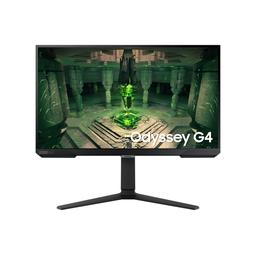
Samsung Samsung Odyssey G4
Monitors

Samsung

Samsung Odyssey G4: What Real Users Actually Think

Mar 2026

Last Analyzed

7/10

Overall Rating

20

Positive Reviews

21

Negative Reviews

Summary

The Samsung Odyssey G4 is a budget-friendly 240Hz IPS monitor aimed squarely at competitive FPS gamers who want fast response times without spending big. Reddit sentiment is generally positive for the price, with most owners satisfied with its snappiness in titles like CS2 and Valorant. That said, it's not without quirks — the HDR implementation is widely criticized as purely marketing, the 27-inch version draws consistent complaints about pixel density at 1080p, and the HDMI port placement gets called out for awkward cable routing. It's the kind of monitor that earns praise when bought on sale but feels like a tough sell at full price against increasingly competitive alternatives.
Pros

  • Fast IPS panel with low input lag — rtings rates it highly for competitive gaming, and owners consistently report feeling a real difference over their previous 144Hz or VA panels
  • FreeSync/G-Sync Compatible support over DisplayPort, giving Nvidia and AMD users access to adaptive sync without needing expensive G-Sync hardware
  • Solid out-of-box color quality for an SDR IPS at this price — multiple users praised it for gaming and even anime viewing
  • Excellent stand praised by owners as one of the better built-in stands in the budget segment, with good ergonomic range
  • Widely available on sale in the $180–$210 range, making it one of the more accessible 240Hz IPS options in budget markets worldwide

Cons

  • HDR10 label is effectively meaningless — only 400 nits brightness with no local dimming, which multiple users confirmed is 'fake HDR' that performs worse than SDR in most content
  • 27-inch size at 1080p gets pushback from the community — pixel density is noticeably low, and many recommend stepping up to 1440p at this screen size
  • No built-in speakers despite a volume control and speaker-shaped vents, which confused multiple buyers expecting audio output
  • HDMI port faces downward and is recessed into the back panel, causing cable bends that some users flagged as a long-term durability concern
  • At or above $240 full price it faces stiff competition — a 1440p 200Hz IPS can now be found near the same price, making the G4's value case weaker than it used to be
  • Some users report input lag increases when refresh rate is set below 240Hz, requiring adaptive sync to be disabled as a workaround

Does DisplayPort Actually Matter on the G4?

Multiple threads confirm that G-Sync compatibility and FreeSync only work over DisplayPort — HDMI users report sync features simply don't appear. Given the recessed, downward-facing HDMI port, Reddit consensus is: just buy a DisplayPort cable and skip the frustration.

A Strong Budget Pick That's Losing Its Edge

When the G4 launched, 240Hz IPS at under $200 was a rare deal. Now Reddit deal threads regularly surface 1440p 200Hz monitors at similar or lower prices, and community enthusiasm has noticeably cooled on the G4 as a straight value buy.

The 27-Inch Version Divides Opinion More Than the 25-Inch

Owners of the 25-inch G4 rarely complain about sharpness, but the 27-inch version consistently gets flagged for soft pixel density at 1080p. Reddit advice has shifted toward recommending the 25-inch model or upgrading to 1440p for anyone buying a 27-inch panel.

User Reviews (41 of 127 analyzed)

20
0
major_magerr/Monitors13d agopositive

Are you connected via HDMI? G-Sync is supported on DisplayPort not HDMI on Odyssey series generally. Once you connect via DisplayPort, you should see 'Adaptive Sync' instead of 'FreeSync'. Then enable G-Sync on NCP.

View Original Comment
20
0
Defiant001r/bapcsalescanada13d agonegative

Just a heads up — this is a 1080p 27 inch panel, not 1440p.

View Original Comment
18
0
Thermocapr/bapcsalescanada13d agonegative

This would be an instant buy for me if it wasn't 1080p 27".

View Original Comment
12
0
Jajucar/bapcsalescanada13d agonegative

1440p 200hz at $200 is available now. Hard to justify the G4 at its current asking price when alternatives like that exist.

View Original Comment
11
0
VersaceUpholsteryr/buildapc13d agopositive

Response rate and input lag are pretty good on the G4.

View Original Comment
10
0
kasakka1r/Monitors13d agonegative

HDR10 is a HDR video standard, basically means that the display is capable of receiving and processing data in the HDR10 format, which has little to do with the actual HDR capabilities of the display. Your display is not capable of more than 400 nits if even that in HDR and it does not have the local dimming to make good use of it. So you bought another 'fake HDR' display.

View Original Comment
10
0
Zensaiyr/Monitors13d agonegative

You probably don't have a DisplayPort cable plugged in — are you using HDMI? That's why G-Sync isn't showing up.

View Original Comment
9
0
FormerSlackerr/bapcsalescanada13d agopositive

For purchasing the G4, Amazon is better than Canada Computers by far — lots of horror stories about CC returns.

View Original Comment
5
0
NeeLzyr/buildapc13d agopositive

I ended up buying the G4 myself although I couldn't find too much about it but the monitor is very good and does the job. I've been playing CS for 10 odd years and personally I think it's as good as it gets. Latency is very good, definitely do feel the difference in the 1ms compared to a 5ms screen I had before. Ghosting seems to be minimal or least visible on the mode 'faster'.

View Original Comment
5
0
stormwind81r/Monitors13d agonegative

HDR10 is just confusing terminology and the lowest of the low standards. It is actually just saying that you have HDR. With HDR10 I would not even try it, it is just gimmicky marketing nonsense.

View Original Comment
5
0
timooteexor/bapcsalescanada13d agopositive

For gaming it's fine, honestly. This is coming from someone who also had a 3440p Ultrawide and a 27" 1440p monitor. Obviously 24" will look better but if you're strictly gaming, it's not going to kill you.

View Original Comment
5
0
Broad-Tune-1010r/bapcsalescanada13d agonegative

Snagged a G5 G50D (1440p) for $240 last night with student discount — for those looking for an upgrade path from the G4.

View Original Comment
3
0
Whokamr/Monitors13d agonegative

Neither the 25" or 27" G4 has speakers. The 'indentations' are just a design choice. On other Odyssey models they have RGB in them. As the monitor has a 3.5mm audio output, it has a volume control to be able to control the level.

View Original Comment
3
0
Justbuiltdifferent69r/buildapc13d agopositive

I have the monitor and yes it's VESA mount compatible!

View Original Comment
3
0
Competitive_Echo_471r/bapcsalescanada13d agonegative

Do people care about 240hz that much? Snagged the Lenovo 1440p 165hz for $180 with military/student discount.

View Original Comment
3
0
Jacmertr/bapcsalescanada13d agopositive

I've been looking specifically for a 27" 1080p 240Hz that's at least IPS because I run two 27" 1080p monitors. I like the larger size and a higher res might be a bit too small for me, but more significantly, it's harder to drive games at max refresh rate on higher resolutions.

View Original Comment
3
0
captain_alchemyr/buildapc13d agonegative

I decided not to go for the G4 as it's too expensive for the features it provides. I went with an AOC G11E — so far so good, loving it for FPS games like CS2.

View Original Comment
2
0
Historical-West8878r/buildapc13d agopositive

It's a very fast monitor, not BenQ fast, but close to it, and it has very good colors in SDR. I'd say this monitor is only worth buying if it's under $200 in the current market, as there are a lot of good monitors nowadays.

View Original Comment
2
0
IMeetUr/Monitors13d agopositive

I don't see any ghosting. There is no software, which makes turning on/off freesync a hassle. Best you can do is use Twinkle Tray software for brightness and contrast. Screen is good, no bleeding and good picture quality. Stand is really good, probably the best stand I have.

View Original Comment
2
0
Bealic1r/buildapc13d agonegative

I just got it a few days ago. The HDMI port is facing down, tucked into a slot in the back, so basically your cable is always being slightly bent because it's touching the frame. I don't know how much this will affect the longevity of the product. As far as design I personally don't like it.

View Original Comment
2
0
siddzkr/Monitors13d agonegative

Samsung G4 has input delay issues. It has a firmware issue where if the refresh rate is set to lower than 240, input lag increases. So you will need to turn off adaptive sync and then use it. I rented a monitor calibrator and tested it with the latest firmware.

View Original Comment
2
0
ABirdOfParadiser/bapcsalescanada13d agonegative

General consensus is the minimum PPI at a regular desktop viewing distance is 24" 1080p, and at 27" it's best you step up to 1440p. There is a reason why you see 1440p 27" monitors more than other ones.

View Original Comment
2
0
NexExMachinar/Monitors13d agonegative

I've sent back two Samsung Odyssey monitors. Not impressed with the quality.

View Original Comment
2
0
Pizza_For_Daysr/Monitors13d agonegative

You're better off buying a pair of $25 speakers from Amazon that will sound like 5 times better/louder than any monitor built-in speakers. I bought some cheap Creative ones and it blows the inbuilt speakers away in my monitor.

View Original Comment
2
0
Manupipperr/Monitors13d agopositive

I'm from Argentina so imported monitors are crazy expensive and Samsung manufactures locally, so this monitor is dirt cheap. I'll get it as an upgrade from my old Redragon Ruby which is a 144hz VA panel with a ton of ghosting. I'm guessing it's going to be a nice improvement.

View Original Comment
2
0
Bladingsr/bapcsalescanada13d agopositive

Now that framegen is a thing I actually find high refresh rate much more enticing. Even if I run a game at 100 fps, I can throw on Adaptive Lossless Scaler and make it always lock on to my monitor's refresh rate, and it's always a dramatically noticeable improvement.

View Original Comment
2
0
rafalmior/buildapc13d agonegative

0.5ms/1ms is pure marketing. You probably won't notice the difference, and most monitors that claim that are 1ms are not actually 1ms.

View Original Comment
2
0
klootzukr/Monitors13d agopositive

DisplayPort is a better version of HDMI — and it's required to get proper sync features working on the G4.

View Original Comment
2
0
JB0304r/buildapc13d agopositive

I have an HP Omen 27i 1440p 165hz and absolutely love it. From what I've seen of the G4 it looks good quality and Samsung are a well known and reputable brand.

View Original Comment
2
0
Veda_Primer/Monitors13d agopositive

Still happy with the monitor after using it and calibrating colors per the rtings.com color calibration guide.

View Original Comment
1
0
W0ND3Dr/Monitors13d agopositive

I'm loving it so far, this is my biggest monitor I've owned as of right now. I usually stick with 25 inches just because it's an in between, but I recommend this 1000%.

View Original Comment
1
0
Mission_Bug1195r/buildapc13d agopositive

I ended up buying it, the 27 inch version. I looked for 4 months and in this budget a G4 27 inch with IPS panel, 240hz and full HD I think is the best. Was 200 euro and I am so happy with it. For me this was 100% worth it.

View Original Comment
1
0
loyal872r/buildapc13d agopositive

VA panel response times NEVER EVER beat IPS monitor response times. You have to check for true response times tests from YouTube channels or rtings.com. The G4's IPS panel has a clear advantage over VA in this regard.

View Original Comment
1
0
RomaNzinnnr/buildapc13d agopositive

I'm using Odyssey G4 right now and only play FPS games mostly — it really does work well for that.

View Original Comment
1
0
Dipmeister2000r/buildapc13d agonegative

With a 6700XT, getting a 1440p 144-165hz monitor is ideal. 27/28" screen is the sweet spot for 1440p and you can always downscale to 1080p if you want more FPS for shooters and competitive games.

View Original Comment
1
0
OriginTrutherr/bapcsalescanada13d agonegative

For a 1080p IPS monitor at that price? No thanks.

View Original Comment
1
0
NewfX91r/bapcsalescanada13d agonegative

240hz is more for eSports 1080p people playing MOBA/CS2 than your average gamer which usually uses 60-120hz. For the average person, 1080p/1440p 60-120hz VA/IPS is more than enough.

View Original Comment
1
0
Gullible_Fly1200r/Monitors13d agonegative

I had no intention of using the speakers really but I was wondering why no sound was coming out. Good to know there are no built-in speakers on the G4.

View Original Comment
1
0
Ohut_Herkkur/buildapc13d agopositive

I've had the Samsung Odyssey G4 for a couple of years now and I've been extremely satisfied with it. I'd recommend it — it was on sale in the online store when I bought it.

View Original Comment
1
0
Nitesh8800r/Monitors13d agopositive

I just selected the sRGB option in the monitor's presets — that was the best color calibration solution I found without any external tools.

View Original Comment
1
0
EvilDan69r/Monitors13d agonegative

Make sure you have the monitor driver installed — Windows might just see a generic display with no ability to detect that G-Sync is compatible.

View Original Comment