Samsung Samsung Odyssey Neo G95NC
Monitors

Samsung

Samsung Odyssey Neo G95NC: What Reddit Actually Thinks

Mar 2026

Last Analyzed

8/10

Overall Rating

25

Positive Reviews

18

Negative Reviews

Summary

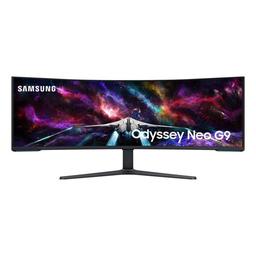
The Samsung Odyssey Neo G95NC is a 57-inch 7680x2160 Mini-LED VA super ultrawide that has earned a loyal following among power users who split their time between heavy productivity work and gaming. Reddit sentiment is broadly positive, with owners consistently praising the sheer screen real estate for multi-tasking, coding, finance, and content creation. The monitor's value proposition is most compelling for desk workers who need to eliminate multi-monitor setups, while gamers need to temper expectations around GPU requirements — even a 4090 struggles to push native 8Kx2K at high frame rates. Early QC concerns about units dying shortly after delivery have largely faded with firmware maturity, and Samsung has continued releasing updates well into 2025 and 2026. One ongoing hardware-level issue affects a subset of owners: text clarity and gamma degrade at 240Hz compared to 120Hz, a problem that appears tied to the panel's physical limits rather than drivers alone.
Pros

  • Unmatched screen real estate for productivity — replaces dual or triple monitor setups with a seamless 57-inch canvas, praised by engineers, finance professionals, and developers for spreadsheets, code windows, and multi-app layouts
  • Mini-LED brightness and local dimming deliver vivid HDR performance that's significantly better than standard LCD, with users noting it's nearly IPS-quality while being far brighter
  • 1000R curvature wraps the display around your field of view, making both gaming and extended work sessions more immersive and comfortable than flat super-ultrawides
  • Built-in KVM switch works reliably for dual-PC setups — a single button press swaps USB host between connected computers, eliminating the need for external KVM hardware
  • Firmware 1005.3+ supports 3-input PbP (Picture-by-Picture) in a 3x 2560x2160 layout, letting users run three independent sources including a PS5 at 4K alongside a PC
  • Strong resale and purchase value at sale prices — units have been found at $1,299–$1,599 at Best Buy with the 4-year protection plan, making the risk-adjusted value significantly better than MSRP

Cons

  • 240Hz mode introduces visible text blurriness and gamma/color shifts compared to 120Hz — confirmed across Nvidia 5090, 5080, 5070, and AMD 7900XTX, with the root cause pointing to panel-level ADC limitations rather than drivers, and no confirmed fix as of early 2026
  • Demands an RTX 5070 Ti or higher (or RX 9070 XT equivalent) to run native 7680x2160 at playable gaming frame rates — a 4090 achieves roughly 90–120 FPS only with DLSS Quality and Frame Gen in most modern titles, and ray tracing is off the table
  • Discontinued in some European markets as of mid-2025, complicating warranty claims and availability for non-US buyers
  • Requires a desk at least 30–31 inches deep to position correctly; the V-shaped stand occupies significant surface area and limits monitor arm options — the Ergotron HX is not compatible
  • Thermal crackling sounds from the plastic back panel are a known recurring issue inherited from previous G9 generations, reported by a notable share of owners, though it is cosmetic and not a failure indicator
  • macOS support is limited — M1/M2 Pro users are typically capped at 5120x1440 over a single cable, with full 7680x2160 requiring a PbP workaround using two separate cables, and HDR + 120Hz simultaneously is not achievable on most Mac configurations

The 240Hz Problem Nobody Talks About

A growing number of owners — across both Nvidia and AMD GPUs — report that switching from 120Hz to 240Hz causes noticeable text blurring and color/gamma shifts. The issue appears tied to the panel's hardware limits at high refresh rates, not drivers, and Samsung has not issued a fix despite multiple firmware updates.

The Productivity Monitor That Happens to Game

Most Reddit owners bought this for work first and gaming second — and that's the right order of priorities. For spreadsheets, coding, and multi-app layouts, users call it transformative. For gaming, you'll need a GPU that didn't exist when the monitor launched just to scratch its surface.

Mac Users Get a Second-Class Experience

Apple Silicon owners face a maze of workarounds to get usable output from this monitor — split PbP modes, custom resolution hacks, and third-party tools like BetterDisplay. M4 Pro still can't do full resolution at 120Hz with HDR enabled over a single cable, leaving Mac-primary users with a frustrating experience on a $2,000+ screen.

User Reviews (43 of 411 analyzed)

12
0
robbeneditr/ultrawidemasterrace13d agopositive

Welcome to the club with the Godzilla monitor! Mine has been great too & my brother couldn't resist and his picked his up last week. It's just a pure beast of a 4k monitor wayyy ahead of its time. Work use: it's off the charts amazing using MS fancyzones to mimic easy multi screens and screen sharing to a zone for those sharing moments. Font clarity is extremely sharp zero font fuzz and color is great. Brightness is blinding if you need to increase.

View Original Comment
11
0
Slick1JayJr/ultrawidemasterrace13d agopositive

I have had mine since like Nov. I am using the current firmware. It works well. I came from the original Samsung 49 inch. It is next to a window, the screen does well vs bright conditions, due to the no / low gloss screen. Personally I am very happy with the monitor.

View Original Comment
11
0
kasakka1r/ultrawidemasterrace13d agopositive

Even though I also have a 4090, I'm primarily going to use the Samsung for work. The 5120x1440 res of the older models just doesn't do it for me. Could I use two cheaper 4K displays? Of course, but I really do love the way the super ultrawide allows for a seamless array of windows on the desktop.

View Original Comment
9
0
Funny-Bearr/ultrawidemasterrace13d agopositive

I've had the 57" with heavy use since pre-order. Never had an issue. People only post their negative stories, which would be covered by warranty anyway.

View Original Comment
6
0
Mundane-Garbage1003r/ultrawidemasterrace13d agopositive

I'm definitely buying it for gaming. But I also WFH 4 days a week as a software engineer and this thing looks like an absolute monster for productivity. Same reason I'm not holding out for an OLED. Inky blacks are nice for a TV, but I'll never be comfortable throwing a static application window on one 30+ hours a week long term no matter how good the burn-in compensation gets.

View Original Comment
6
0
egauifanr/ultrawidemasterrace13d agopositive

Firmware 1009.2 reported fixes: Sleep/Wake Stability is the most significant fix — addresses the common bug where the monitor would fail to wake up from sleep, forcing a hard power cycle. Also improves signal stability at 7680x2160 @ 240Hz, and fixes color distortion on fast-moving objects in HDR mode.

View Original Comment
5
0
userbinbashr/ultrawidemasterrace13d agopositive

I absolutely love mine for productivity, production, and spreadsheets. No regrets at all. Keep an eye out for deep sales at Best Buy. Picked mine up for $1299.

View Original Comment
5
0
Obvious-Jacket-3770r/ultrawidemasterrace13d agopositive

Mines used at work for 40hrs per week. Some gaming but nothing like I used to. Love the monitor but you need a 7900xtx, 9070xt, or Nvidia 5070ti or higher to really use it. I spend a lot of the day in code windows so I can say readability is marvelous.

View Original Comment
5
0
killermomdad69r/ultrawidemasterrace13d agopositive

I've owned it for about 2 weeks now. I haven't had any issues so far. I have the latest firmware and everything works as intended. It's a nice looking screen with great brightness. Doesn't look as good as qd oled, but is miles better than regular lcd. The form factor is absolutely incredible too and is the main selling point for me personally.

View Original Comment
5
0
Mexiplexir/ultrawidemasterrace13d agonegative

I'm waiting for Samsung to send me the third unit since the first two came with diagonal lines and several stuck pixels.

View Original Comment
4
0
SnooTomatoes7391r/ultrawidemasterrace13d agonegative

Can confirm that I face the same issues with 5090 and the same display. Text is blurry, colors are a bit off and the same gpu-z values. This is with the provided cable.

View Original Comment
3
0
kyonzr/ultrawidemasterrace13d agopositive

I love the monitor, I unfortunately did have one die 2 weeks after receiving it (bathtub curve is real). I've since had it replaced by Samsung and tbh even though I had it die I still would have bought it again - this one is going strong and I'm happy with it.

View Original Comment
3
0
Xeliosr/ultrawidemasterrace13d agopositive

Got mine in early January, so not a longtime owner of it yet. I've had zero issues, like literally zero. No plastic creaking, no scanlines, no dead pixels. It's an absolute beast of a monitor in damn near every regard. The resolution is perfect for multi video viewing, and fancyzones makes it so much easier to use.

View Original Comment
3
0
cooljacob204sfwr/ultrawidemasterrace13d agonegative

Got my 5090 yesterday and yeah I immediately noticed how text looks like shit in 240hz.

View Original Comment
3
0
VanishedMCr/ultrawidemasterrace13d agonegative

Just tagging in, using the 57" with a 7900xtx and I'm experiencing very similar results. Running the same tests at 120hz mode is amazing, but then using 240hz I can tell that its off.

View Original Comment
3
0
cmacnicholr/ultrawidemasterrace13d agonegative

Just wanted to chime in here. I am having this exact same issue with a 7900XTX and a VESA certified 80GB cable. At Windows 60hz the screen is crystal clear, anything above that in monitor 240hz mode and the text just becomes blurry. Considering how much I spent on this monitor, this is extremely frustrating.

View Original Comment
3
0
Kaladin12543r/ultrawidemasterrace13d agonegative

Here's the thing. I have a 7900XTX and a 4090 and they both struggle with this monitor at native resolution. 4090 does not struggle that much and with Frame Gen and DLSS Quality mode, you typically get around 90-120 FPS in most games while 7900 XTX is around 80-100 FPS. Ray Tracing is out of question even on 4090. This is a monitor meant for the 5090 and 5080 to be released in Jan next year.

View Original Comment
3
0
jigglyroomr/ultrawidemasterrace13d agonegative

Running in 240 hz with my 5090, I see the exact same problem but everything looks fine if I lower to 60 hz (still with monitor in 240 hz mode). I notice that if I change the resolution to 4K@240hz, it still looks as it should, but not if I do native resolution@240hz.

View Original Comment
2
0
techauditorr/ultrawidemasterrace13d agopositive

It's nearly as good as IPS but way way brighter. I think it's fantastic and great for immersive fps games, racing games, etc. its also baller for work and productivity. So much real estate. Never need a second monitor.

View Original Comment
2
0
MisterVisionaryr/ultrawidemasterrace13d agopositive

Best buy I made in my life. Just hope to see a qd oled version of it someday with dazzling nits.

View Original Comment
2
0
Tree06r/ultrawidemasterrace13d agopositive

The Samsung Odyssey Neo G9 G95NC 57" has been fantastic for me. I work in finance so I use and build a ton of spreadsheets so it's great having the extra real estate. Just make sure you're GPU is strong enough to run games at high refresh rates.

View Original Comment
2
0
Launcherczr/ultrawidemasterrace13d agonegative

I'm experiencing the same issue with my Nvidia RTX 5090, using the provided DisplayPort cable. The problem is particularly noticeable with the letters "e" in the Nvidia Control Panel, where the inner circle of all the "e" letters appears blurry at 240 Hz but sharp at 120 Hz.

View Original Comment
2
0
Main_Impress_9576r/ultrawidemasterrace13d agopositive

I agree with all your conclusions, I love this monitor even though I can only run it at full res / 120 refresh rate with a 4090. I can still play my games at the highest settings and they look amazing plus it's rare I will get more than 120fps.

View Original Comment
2
0
FallenCowr/ultrawidemasterrace13d agopositive

This is really tempting even though I swore my next monitor would be OLED. As someone that uses their monitor for work, the text clarity is actually a bigger deal than I would have thought after trying a number of OLED monitors, including the LG C2, which was the least offensive because of the 4K resolution.

View Original Comment
2
0
Sail2thestarsr/ultrawidemasterrace13d agonegative

Mine died after 3 days. I was seeing black shadows from the screen saver but nothing was lighting up. The osd menu would also not display. Luckily, I was able to get another one and return that one. This seems to be a widespread issue. Judging by posts on forums. Hopefully, this new one lasts. I am seeing weird screen flicker when scrolling certain pages. Not sure have others noticed this yet. Love the monitor otherwise. It's amazing.

View Original Comment
2
0
Historical-Tea9539r/ultrawidemasterrace13d agonegative

Man, I wished this was posted before I bought the display. Just to add, was using one on a Mac Studio. Resolution was an issue. I couldn't read the menu text, even when enlarged. Scaling is very limited on a Mac. On my Windows11, it works fine. For me, you'll need more than 70cm / 27.5 in deep. I have a 29in deep desk, and it's still too close. I bought a 49 in G9 oled instead.

View Original Comment
2
0
LightLharr/Monitors13d agonegative

I'm using one currently and the answer is ultimately that it depends on what games you like to play and how far away you sit. I like it enough to keep using, but if I had it to do over again I would have waited for a similarly curved 5K2K 21:9 monitor.

View Original Comment
2
0
CreativeUsername20r/ultrawidemasterrace13d agonegative

Maybe this'll fix the crashing my PC does when I ask literally any game to go exclusive full screen.

View Original Comment
2
0
Redsparow21r/ultrawidemasterrace13d agonegative

You'll be running most modern games at 5120x1440p, even with DLSS/FSR on that screen with a 4070. I use a 4090 and got this monitor the day it came out and there's been the odd game I've had to drop to 5120x1440p. Anyone who tells you a 4070 is pushing this monitor properly at 7680x2160p, I'd say doesn't have a great knowledge of what is deemed "good performance" by most peoples standards.

View Original Comment
2
0
Fantastic-Fold4382r/ultrawidemasterrace13d agonegative

I tested with my GF and she said there is a huge diff between 240hz and 120hz, on 240hz text is really hard to read. I disabled VRR so I created a "gaming mode" at 240hz and a "work mode" at 120hz, only drawback is that I don't get g-sync support.

View Original Comment
2
0
HighlightNo9103r/ultrawidemasterrace13d agopositive

Had the 57 for a year and 5120x1440 at 240hz on warzone daily some fps drops but the clarity and visual range I get running the game and high texture settings is worth it... even 7680 @ 120hz is super amazing not much of input difference either. I'm running a rtx4070ti.

View Original Comment
2
0
socrplaycjr/ultrawidemasterrace13d agonegative

I would love to have this monitor. Though I've lately had an issue with more prosumer gadgets going out. Specifically outside of the 1 year warranty. If the $2,500 came with a three year warranty I would be all on this.

View Original Comment
1
0
XICTerrorr/ultrawidemasterrace13d agonegative

Don't buy it! I had problems with the power unit and exactly after 2 years the display shows some bubbles. The monitor is so fckin expensive - if it breaks you'll have to pay a lot to fix it. better go with a normal ultrawide, save money and nerves.

View Original Comment
1
0
thinkthisr/ultrawidemasterrace13d agopositive

If you are going to use it for productivity — there is none better. If you're going to mostly use it for gaming, I would say no.

View Original Comment
1
0
jimvolkr/ultrawidemasterrace13d agopositive

Completely. I've had mine almost a year and have had no problems whatsoever. I WFH and game often.

View Original Comment
1
0
princepwnedr/ultrawidemasterrace13d agopositive

Yes its worth it especially at the discounted price of $1599. I remember paying $2900 for mine new after tax and everything and adding the 4 year protection plan I loved everything about it especially the hdr my main issue with it was I kept coming across dark scenes in games and it was missing the oled colors I am so used to now.

View Original Comment
1
0
jw1n5r/ultrawidemasterrace13d agopositive

I have two. Got them both around three weeks ago. I use them daily for 8-10 hours per day. I considered returning them and going back to my quad monitor setup (dual AW3423DW/dual LG DualUp) but after tearing down the 57s and putting the old stuff back up, I had to go back to the 57s. I have the "popping" noises a lot of people report but I haven't had any issues with either of them and no dead pixels. There is blooming and they can generate a fair bit of heat but they are otherwise a great monitor.

View Original Comment
1
0
dolemite79r/ultrawidemasterrace13d agopositive

Got mine on Jan 12th and it's been absolutely incredible. I switched from a 48 inch c1 and I haven't had any regrets at all. No issues so far. Fingers crossed.

View Original Comment
1
0
SheeshNPingr/ultrawidemasterrace13d agopositive

I LOVE mine, absolutely zero issues so far.

View Original Comment
1
0
AkiraSieghartr/ultrawidemasterrace13d agopositive

I've had mine since the US release. Not a single issue.

View Original Comment
1
0
bkral93r/ultrawidemasterrace13d agopositive

I've had it since launch day in the US and it's incredible. No issues at all.

View Original Comment
1
0
apnavr/ultrawidemasterrace13d agonegative

Had this g9 a year and seems like its on its last leg already. Seriously about to toss or sell it for like $100. I start the PC and there's a 50/50 chance the monitor will light up properly - OR - cycle every 5 secs between powered black screen, and unpowered black screen. With no response to pressing the menu button.

View Original Comment
1
0
sephkniter/ultrawidemasterrace13d agonegative

This has been happening since the G9 from 2020. I have the 57" and it's still doing the same [crackling sounds from plastic back panel]. Makes me wish the back panel is non-plastic. We know it's heat expanding that back plastic — not much we can do about it.

View Original Comment