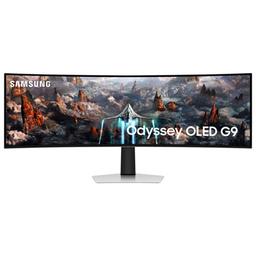
Samsung Samsung Odyssey OLED G93SC
Monitors

Samsung

Samsung Odyssey OLED G93SC: What Real Users Actually Think

Mar 2026

Last Analyzed

8/10

Overall Rating

31

Positive Reviews

12

Negative Reviews

Summary

The Samsung Odyssey OLED G93SC is the 'dumb' version of Samsung's 49-inch QD-OLED superwide, and Reddit has largely decided it's the better buy because of that. Users consistently praise the panel itself — the HDR, color, and immersion are described as genuinely transformative, especially for anyone coming from a traditional backlit display. The G93SC strips out the Tizen smart OS that plagues the G95SC, giving you a faster OSD, no Samsung account requirements for basic features like PBP, and lower heat output. The main sticking points are Samsung's historically inconsistent QC, some DisplayPort quirks that firmware and cable upgrades usually resolve, and the inherent burn-in anxiety that comes with any OLED panel. Long-term owners reporting 1-2 years of daily use with zero burn-in are common, though a small number have had panel failures.
Pros

  • QD-OLED panel delivers genuinely stunning HDR and color — users coming from IPS or VA panels consistently describe it as a revelation, with inky blacks and vibrant highlights that can't be replicated by backlit displays
  • No Tizen smart OS means a snappier OSD, no mandatory Samsung account, no internet requirement to use PBP split-screen, and measurably lower power draw (~10W less than the G95SC in real-world testing)
  • 32:9 dual QHD (5120x1440) at 240Hz hits a sweet spot for hybrid gaming and productivity — users run it as two 27-inch 16:9 equivalents side by side, replacing multi-monitor setups
  • PBP mode supports 50/50 and 70/30 splits without any account login, unlike the G95SC where this feature is locked behind internet connectivity
  • Street price regularly drops to $900–$1,100 during sales, which most users consider strong value for the panel quality — several owners picked it up at $800–$900 and called it a near-perfect deal
  • Long-term durability holds up for most users: multiple 1-2 year daily-use reports with no burn-in, no dead pixels, and only minor DisplayPort quirks resolved by firmware updates

Cons

  • Samsung QC is a genuine lottery — a vocal segment of owners report panel failures, stuck pixels, or complete breakdowns within the warranty window, sometimes requiring multiple replacements
  • DisplayPort can be finicky out of the box: random black screens and wake-from-standby failures are common enough that the fix (quality certified DP cable + latest firmware) is practically a standard first step
  • No built-in speakers and no eARC, which the G95SC has via HDMI — users who want audio passthrough to a soundbar or headset are left finding workarounds
  • Burn-in is a real concern for static-heavy workloads like Excel or HUD-heavy games — users with heavy productivity use are starting to see retention after 2 years of daily use, requiring active panel care habits
  • The 32:9 aspect ratio still has incomplete game support — black bars and pillarboxing in titles that don't natively support the format require community mods or workarounds
  • No built-in KVM switch, which competing panels like some MSI models include — a notable omission for dual-PC or laptop/desktop hybrid setups at this price point

Why Reddit Keeps Recommending the 'Dumb' Version

The G93SC exists specifically because the G95SC's smart OS frustrated enough users that Samsung's own community turned it into a PSA. Faster menus, no account walls, lower temps — the monitor without a brain wins on Reddit.

Great Panel, Questionable Build Luck

Owners who got a good unit rave about it for years. Owners who didn't describe going through two or three replacements in a single warranty period. The QD-OLED panel is class-leading; the QC behind it is not.

The Productivity Ultrawide That Needs Babysitting

People love using this for Excel, GIS, and multi-app workflows — but static taskbars and persistent HUDs are a burn-in risk on any OLED. The users who've kept theirs pristine all share the same habit: if you're stepping away, turn it off.

User Reviews (43 of 274 analyzed)

13
0
murrat13r/buildapcsales13d agonegative

Pretty good price, not all time low, but not bad either. The only thing stopping me is samsung's non commital attitude toward burn in warranty coverage.

View Original Comment
13
0
FurnaceOfTheseusr/buildapcsales13d agopositive

I wish there was a way to make Samsung's other monitors not smart. The features work like garbage. This is the same as my current monitor, except I have the 'smart' features. The smart features are my biggest qualms, so maybe this one will be better.

View Original Comment
12
0
4zp1r1nar/ultrawidemasterrace13d agopositive

I bought the G93SC on pre-order as I don't see any advantage of having the gaming hub and those smart features on a monitor since I'll already have my computer hooked up to it and also I believe it will contribute to burn in since the hub is I believe 21:9 aspect ratio instead of the 32:9 capable of the monitor so it will have black bars at the sides, while being a lot cheaper.

View Original Comment
10
0
Positive_Bid5596r/buildapcsales13d agonegative

Known to break often, this is a defective product line. Don't buy it for anything other than a deep deep discount with a warranty.

View Original Comment
8
0
Jump_Streamr/ultrawidemasterrace13d agopositive

I've had 0 issues with mine almost 10 months on. Have had a blast and the smart functionality is really not that much of an issue. Especially if you already have a Samsung account due to a phone. Bit overblown in my opinion. Just get whichever is the cheaper deal at the time.

View Original Comment
5
0
_Oxeia_r/ultrawidemasterrace13d agopositive

I've had mine for almost a year with the only issues being the built-in speakers are pretty bad and the wake-up issues when I connect it using DisplayPort, but that seems to happen with both the G9 models. Overall, I think it's great choice especially if you can get it @ $800-$900.

View Original Comment
5
0
Bjornvarthrr/ultrawidemasterrace13d agopositive

I also have the G93sc as I dont need the extra stuff g95sc has to offer. Really happy with it so far. But why on earth hasn't LG come up with a 49 inch oled yet? Doesn't seem to come very soon either. I have always been a fan of LG, but I have to say that the G9 is excellent.

View Original Comment
4
0
OldScruffr/ultrawidemasterrace13d agopositive

As someone who owns the G95SC, I would highly recommend the G93SC over it. The UI on the G95 is literally copy pasta'd from Samsung's TVs, and it makes changing basic settings a huge pain in the ass. It's slow, laggy, and has stupid smart features that don't even let you use the damn monitor as a monitor without creating a Samsung account and having an internet connection. Wish they would have had the G93SC available at launch, as I'd do anything to go back to a basic monitor UI that is quickly accessible.

View Original Comment
4
0
patermortisr/buildapcsales13d agonegative

I went through 3 screens in my first year of warranty. Other than that, I absolutely love the screen.

View Original Comment
4
0
Terabit_PON_69r/buildapcsales13d agopositive

Samsung QD OLED do not have anywhere close to the QC issues as the mini led's and they are substantially more lightweight. This monitor is one of the greats IMHO for a hybrid gaming / productivity setup.

View Original Comment
3
0
Revan7evenr/ultrawidemasterrace13d agopositive

No issues, real Vesa DP cable fixed flickering that stock cables had, firmware last year fixed my random black screens. No burn in, and I play games for hours past when it wants to do a panel care cycle. Only been using HDR for the past year after finally getting the settings right.

View Original Comment
3
0
Nuggz1r/ultrawidemasterrace13d agopositive

A year in and loving it. No issues so far.

View Original Comment
3
0
a_g_bellr/ultrawidemasterrace13d agopositive

Had mine over 2 years and use it daily for work. No burn in or any issues that I can see.

View Original Comment
3
0
GreenLynx1111r/ultrawidemasterrace13d agopositive

I have the G95SC and after about a year and a half it's still perfection. Not a hint of burn-in. No dead pixels. Everything crispy, sharp, colorful and dynamic.

View Original Comment
3
0
doublea94r/ultrawidemasterrace13d agopositive

I have a transparent windows taskbar from an app from the windows store. I have my screen turn off after 2min. I have about 30-35 wallpapers that change every min on my desktop. Other than that make sure all OLED panel care settings are on and high.

View Original Comment
3
0
Hiphopapocalypticr/buildapcsales13d agopositive

My old 32" towers over my G9 since the latter is equivalent to two 27" side by side. Love them both to death.

View Original Comment
2
0
1337potatoer/buildapcsales13d agonegative

Samsung QC... leaves a lot to be desired. If you get a good unit their premium double wide monitors are a great experience, but overall Samsung monitors have a high defect rate. I went through a few G9 normal monitors before I got one that I was satisfied with (dead pixels and other issues), but it has been great since. I tried an OLED G9, but the VESA mounting points internally were not aligned correctly, making it physically impossible to put it on a monitor arm instead of the stock stand.

View Original Comment
2
0
Apprehensive_Row_161r/ultrawidemasterrace13d agopositive

I've had mine for almost 2 years and it's still going strong. No burn in or dead pixels.

View Original Comment
2
0
at64atr/ultrawidemasterrace13d agopositive

Perfect monitor! I've had it for a year with zero issues.

View Original Comment
2
0
arandomscottr/ultrawidemasterrace13d agonegative

I'm 2 years in December total 7723 panel hours and I've just noticed burn in for the first time might be a static image from being on excel all day but I'm on excel almost every day for work. Hoping I wake up in the morning and the optimisation has ran!

View Original Comment
2
0
murrflexr/ultrawidemasterrace13d agopositive

I set it up yesterday, and I'm pretty blown away in the level of quality. If you plan to double down on this monitor as a tv from a different pov like a couch or something in the same room, I can see the benefit in the extra features, but I really don't think it's $200 in value. All of these things are replaceable to an extent.

View Original Comment
2
0
Top-Photograph-78r/ultrawidemasterrace13d agopositive

I got myself the g93c after realizing that the only real difference is the smart feature. The real factor was that I didn't want to risk burn ins due to using the smart feature to watch stuff.

View Original Comment
2
0
Diotima245r/ultrawidemasterrace13d agopositive

Still great I use it daily…. There are some quirks and I hate the smart tv function but other than that it is awesome. Very nice picture… occasionally I run into games that force black bars like PoW2 and Silksong but it's not bad since it's OLED.

View Original Comment
2
0
OnlyFizaxNoCapr/ultrawidemasterrace13d agonegative

I know your question is referring to the 93sc but stay away from the 95sc. I returned mine yesterday after owning for two weeks, for my experience the cons outweighed the pros. Screen was absolutely beautiful, exterior looked amazing, colors were nice (first oled) for SDR, glossy screen. But: requires you to sign in to use the PBP mode, filled with bloatware, screen flickering and scan lines.

View Original Comment
2
0
naztynestorr/ultrawidemasterrace13d agopositive

I have this monitor but on my situation it might be different, I'm not scared of burn in due to having a 4 year replacement plan from bestbuy. OLED has been around and these new gen oled doesn't get burn in that easily. Plus when you turn the monitor off or sleep, a pixel shift happens automatically. So no worries on that end.

View Original Comment
2
0
keirmeisterr/ultrawidemasterrace13d agonegative

I bought the G95SC. The 'TV' OS part of it is invasive and was a complete eyesore when switching inputs. I bought the service remote and turned that crap off. I'm also using optical HDMI and DP cables and the picture is fantastic. But yeah…were it not for the service remote hack, I would have considered returning the monitor.

View Original Comment
2
0
DrMnhttnr/ultrawidemasterrace13d agonegative

My G93SC developed a stuck pixel yesterday. It's only 3 weeks old. Amazon won't exchange it. They'll only accept a return and issue a refund. It was $999 when I bought it, and now it's $1387, and I can't find a G93 anywhere else. So if I want a replacement, I have to pay an extra $387 for the privilege of having a defective product.

View Original Comment
2
0
silvercoronar/ultrawidemasterrace13d agopositive

I have occasional issues where it will stop recognizing the DisplayPort output from my graphics card and just decide it should turn off. Unplugging and replugging the DisplayPort cable fixes it. No burn in and love it other than that small issue.

View Original Comment
2
0
InvaderRodr/buildapcsales13d agonegative

Most of the G9 lineup has been absolutely atrocious with too many people having to reach out to Samsung for some awful customer service interactions. I avoid most if not all Samsung products for this reason.

View Original Comment
2
0
NervousNrgyr/ultrawidemasterrace13d agopositive

Bought a G93SC as well - couldn't resist the Amazon Labor Day deal. Was thinking about the LG 45 5K2K, but the price is high for 165hz, and I couldn't imagine using the dual mode resolution. Time to say bye to the Alienware 34" - 7 years of near perfect operation.

View Original Comment
1
0
tigglysticksr/ultrawidemasterrace13d agopositive

I haven't had a single issue with the G93SC. It just worked out of the box, both Displayport and HDMI work perfectly. And the menus are very responsive and easy to use like any other typical Samsung monitor.

View Original Comment
1
0
nathanlawr/ultrawidemasterrace13d agonegative

Great monitor, but get a warranty. After my 1 year limited warranty expired about 2 months later all inputs would no longer work, after about 1 3/4 year my panel went white and stopped working. Both times Samsung eventually agreed to come out and fix it, but I needed to pay for labor. This was ~$200 both times, but they did at least agree to cover parts.

View Original Comment
1
0
ShinyLedgerr/ultrawidemasterrace13d agonegative

Nah this monitor SUCKSSSS… I regret buying but I spent too much money to just not use it.

View Original Comment
1
0
PeZzyr/ultrawidemasterrace13d agopositive

I've only had mine for 1.5 months, and bought an add-on warranty because of the concerns. There is a spot in the back above the power input that hits ~40 C. I use longer cables (8-10ft) and find the hdmi occasionally flickers at 240Hz, so I'm using a 10-foot DP which appears to be stable. The quality of the HDR picture is slightly better than the new 45" LG Ultragears.

View Original Comment
1
0
dnfinitelyaptimisticr/ultrawidemasterrace13d agopositive

I've had mine for 13 months, no degradation. However the KVM functionality has been a recurring issue. No KVM I have found can handle native resolution with 120hz and EDID, and the built-in system is annoying: if the 'active' source goes to sleep, all sources get disconnected. Other than that it's been great.

View Original Comment
1
0
SillyRicer/ultrawidemasterrace13d agopositive

I have had mine for almost a month. The 32:9 aspect ratio is amazing for gaming. It's true that many games don't support 32:9 natively but there are many fixes available online with pretty simple instructions to apply. If you're comfortable with that, I highly recommend getting it!

View Original Comment
1
0
Rippers_72r/ultrawidemasterrace13d agopositive

I also have the G93C and it is an awesome monitor, didn't see the point in getting the G95SC for its smart capabilities. I have a tv for that lol.

View Original Comment
1
0
InconvenientFacts23r/ultrawidemasterrace13d agonegative

I have the G95SC and for the most part, the Tizen interface and processor are not needed when you mostly use it on a PC and can use web browsers for streaming. Also Samsung QC is generally bad for its monitors. I had a Neo G9 with massive overheating from the center of the screen and this appears also for the G95SC. the center of the screen gets burning hot as does the bottom of the monitor along the silver metal edge. For the OLED G9, I believe this is contributed to by the extra 'features'.

View Original Comment
1
0
Cocaine_Turkeyr/buildapcsales13d agopositive

I bought this the last time it was this price, and am very happy. However it did cost me an extra 600 because it was so nice that I felt the need to upgrade my graphics card to really enjoy spreading managed democracy.

View Original Comment
1
0
ScrubinBubblesr/buildapcsales13d agopositive

I did pretty much exactly that (went from 3x27 to G9). Previously had 3x 1440p 27" monitors with a 144hz gsync center screen for gaming and 60hz IPS screens on the sides for better colors. When I got the G9 OLED I thought I'd keep one old monitor plugged in for the same total screen resolution but I never used it so I've downsized to the G9 alone. The G9 has a pretty nice UI for auto sizing windows in various layouts which takes care of multitasking. And obviously games that go full screen on this thing are incredible.

View Original Comment
1
0
joeRoganDMTr/ultrawidemasterrace13d agopositive

You can buy from Samsung store directly. I got one, Touchwood zero issues. My old cheap HDMI cable worked just fine with MBP14 M3Pro and 4090 at full res 240hz. No flickering etc at all. A very solid monitor for me.

View Original Comment
1
0
Rahul7604r/ultrawidemasterrace13d agopositive

There is no flickering problem. It's been running smooth. I used to use DisplayPort but that was causing some issues, so I switched to HDMI 2.1.

View Original Comment
1
0
Soulsiistr/ultrawidemasterrace13d agopositive

I see so many negative reviews online. I was able to get mine for like $1,100 on sale on Amazon one week. Couldn't be happier I pulled the trigger. Most games I've played except overwatch and maybe one other support 32:9. I do wanna get a colorimeter just to make sure everything is dialed in but so far, it's mind blowing. My first experience with ultrawide and oled both so it's been a treat for me personally.

View Original Comment