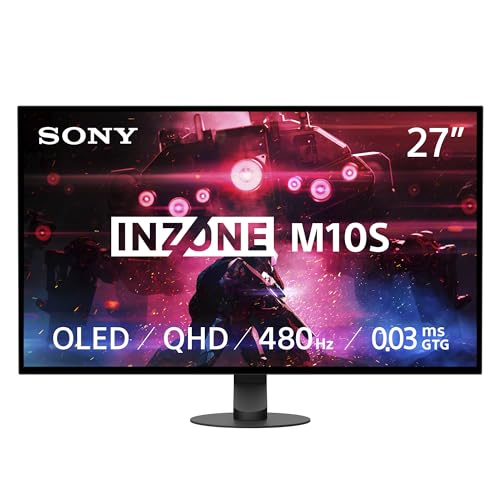
Sony Sony INZONE M10S
Monitors

Sony

Sony INZONE M10S Reddit Verdict: Great Panel, Troubled HDR

Mar 2026

Last Analyzed

7/10

Overall Rating

24

Positive Reviews

19

Negative Reviews

Summary

The Sony INZONE M10S is a 27-inch 1440p 480Hz WOLED gaming monitor that has built a strong following among competitive and enthusiast PC gamers. Reddit sentiment leans positive overall, with users consistently praising its sleek all-black design, buttery-smooth motion, and SDR image quality that impresses even veteran OLED owners. That said, it's not without friction: HDR performance is widely criticized as inferior to the ASUS PG27AQDP despite sharing the same panel, and early buyers encountered connectivity headaches with RTX 50-series GPUs that required firmware fixes. At its sale price around $715, most owners feel they got a genuinely great deal; at full MSRP near $1099, the value proposition gets harder to defend.

Pros

  • 480Hz refresh rate is noticeably smoother than 360Hz for fast-paced competitive play, with owners reporting better reaction time and fluid motion in FPS games like The Finals and Valorant
  • Exceptional SDR image quality — rich colors and deep OLED blacks that owners describe as a massive leap from IPS panels, with flexible gamma options from 1.8 to 2.6
  • Minimalist all-black design with a rock-solid stand earns consistent praise; no garish RGB or ugly tripod legs unlike some competing monitors
  • No fan — completely silent operation, unlike the LG 27GX790A-B which uses active cooling
  • Matte coating effectively eliminates reflections in bright rooms, and RTINGS gave it a 9.2/10 for PC gaming with praise for its response time and VRR support
  • Burn-in protection suite includes pixel shift, pixel refresh, panel refresh, and a 24.5-inch mode, with one 8-month owner reporting zero burn-in with regular use

Cons

  • HDR is the monitor's biggest weakness — it clips at ~450 nits in real-world use despite advertising 1300 nits, and side-by-side comparisons show the ASUS PG27AQDP delivering dramatically brighter highlights and more saturated HDR colors from the same panel
  • DisplayPort 2.1 is only UHBR10 (not full bandwidth), meaning 1440p at 480Hz with 10-bit color requires DSC compression — a limitation the higher-end ASUS avoids
  • Widespread no-signal/black screen issues with RTX 5080 and 5090 GPUs, requiring workarounds like downgrading to DP 1.4 or switching color depth to 8-bit; a firmware update (M006) eventually resolved many cases but not all
  • No BFI (Black Frame Insertion) option, which pushes motion-blur-sensitive buyers toward the ASUS PG27AQDP
  • VRR flicker is reported as worse than other 1440p OLEDs tested, particularly noticeable on dark scenes and during game loading
  • Slow input switching on cold boot — the monitor regularly misses BIOS POST screens and takes several seconds to lock onto a signal even with a static input set

Is the Sony M10S HDR Actually Broken?

Multiple Reddit owners found the HDR experience disappointing out of the box, with real-world peak brightness capping around 450 nits instead of the advertised 1300. Side-by-side against the ASUS PG27AQDP — same panel, different firmware — the Sony's highlights look washed out and flat. Firmware updates have improved things, but HDR remains the M10S's most debated flaw.

A Premium Monitor With a Budget-Monitor Price Tag (If You Catch the Sale)

At MSRP around $1099, the M10S is a tough sell against ASUS and LG alternatives that offer better HDR and BFI. But owners who caught it at $715 — or the absurd $198 open-box clearance finds at Best Buy — uniformly say it's one of the best monitor deals available. The value swings dramatically depending on what you pay.

RTX 50-Series Owners Beware: The 5080/5090 Compatibility Problem

A disproportionate number of M10S complaints come from RTX 5080 and 5090 users hitting black screens, dropped signals, and BIOS-invisible behavior over both DP 2.1 and HDMI 2.1. The community-found fix — dropping to DP 1.4 or 8-bit color depth — worked for most, and Sony's M006 firmware update addressed it further, but it's a notable gotcha for early adopters pairing this monitor with new Nvidia hardware.

User Reviews (43 of 294 analyzed)

43
0
machinegundellir/OLED_Gaming13d agopositive

I upgraded from a 1440p IPS LG27GL850 to the Sony M10S about a month ago. I am beyond happy with the purchase ($710 USD at the time) and I think anyone that takes the leap (provided it's in their budget) will be, too.

View Original Comment
35
0
Goldeneye90210r/OLED_Gaming13d agopositive

Those lines will completely disappear after a pixel refresh.

View Original Comment
30
0
VanceGGr/OLED_Gaming13d agopositive

I had to run the pixel refresh twice, but they went away! holy shit so this really was a steal at $198!

View Original Comment
20
0
bunsinhr/buildapcsales13d agopositive

Whether you can hit 480FPS is dependent on the games really. Esports titles at lower settings absolutely can push those framerates.

View Original Comment
13
0
AChunkyGooser/buildapcsales13d agopositive

It's OLED and 480hz. A quick Google search shows other models with the same specs are $800-1000.

View Original Comment
10
0
TEGTAKUr/OLED_Gaming13d agopositive

It's solid as fuck. I haven't shaken my desk like a deranged caveman to test it, but tilting, height adjusting, and oscillating leave the stand firmly planted. Feels like magic.

View Original Comment
9
0
jhinsamar/OLED_Gaming13d agonegative

I do have a Sony M10S and I did use a cable of 80 gbs certified 2m — glitches everywhere even if I installed the latest firmware. Mouse glitches, white boxes, flickers, etc. Then I tried the HDMI 2.1 since I use a 7900xtx, even worse after 1 hour. I was losing my mind cause it's a 1000$ monitor. Then a thought came to my head: use the god damn cable that comes with the monitor.

View Original Comment
6
0
TEGTAKUr/OLED_Gaming13d agopositive

PC Mag has amended their review to less than 1ms.

View Original Comment
5
0
Heikkila14r/buildapcsales13d agonegative

I've tried several 1440p OLED monitors and this Sony had by far the worst VRR flicker.

View Original Comment
4
0
SD_Eragornr/buildapcsales13d agopositive

RTINGS gave it a 9.2/10 for PC Gaming. 'The Sony INZONE M10S is remarkable for PC gaming. With a high 480Hz refresh rate, it's a fantastic choice for most PC gamers, and it supports any VRR format to reduce screen tearing.'

View Original Comment
3
0
Dplex920r/OLED_Gaming13d agopositive

Should go away with a pixel refresh, absolute steal. You might still notice a type of banding on grey which is pretty common for OLEDs but it's not usually an issue.

View Original Comment
3
0
nickjacobsssr/OLED_Gaming13d agonegative

The dp2.1 on the m10s isn't a full bandwidth dp2.1 anyways, it's still very bandwidth limited. You're going to have DSC of some kind no matter what cable you use, but luckily it's going to make basically no difference.

View Original Comment
3
0
TheDeeGeer/OLED_Gaming13d agopositive

Still prefer the Sony because it has a non-kiddo design.

View Original Comment
2
0
TEGTAKUr/OLED_Gaming13d agonegative

I honestly found the visuals in general to be really blurry in all modes, especially since I became accustomed to the clarity of my UCDM. The first few matches, I couldn't see ANYTHING. I suspect the coating and subpixel layout are to blame. I'm going to stick with glossy QDOLED for now. I returned this monitor.

View Original Comment
2
0
TEGTAKUr/OLED_Gaming13d agonegative

No BFI option that I have been able to spot.

View Original Comment
2
0
MMDWORLDr/OLED_Gaming13d agonegative

Honestly a shame this panel is only released in matte coatings. Won't even bother.

View Original Comment
2
0
EuropeanLuxuryWaterr/OLED_Gaming13d agonegative

That looks amazing. Hopefully they drop down in price soon here, 1,3k€ is expensive!

View Original Comment
2
0
ShakeMiltonr/OLED_Gaming13d agopositive

I thought I got a steal for $700!

View Original Comment
2
0
MagicalMixerr/buildapcsales13d agonegative

Personal usage had me experiencing bad VRR flicker and annoying ABL. The motion tracking is good. Brightness is pretty standard for OLEDs. Colors are good. Should you buy this monitor? Imo, no. Is this still a good deal? Technically yes.

View Original Comment
2
0
DrunkOnLiquorr/buildapcsales13d agopositive

Yes I love it.

View Original Comment
2
0
MaybeBoring8409r/OLED_Gaming13d agopositive

I have the same monitor for 3 months now and I have zero issues with it. I am using the provided DP Cable that comes with the monitor and an HDMI 2.1 certified cable. HDR, SDR, VRR works. The only issue is that VRR flickers, but this happens on all OLED monitors on dark scenes and during loading times.

View Original Comment
2
0
ifeeltired26r/OLED_Gaming13d agopositive

Same reason I like the Sony better. Very minimal design, matte black all around, no RGB.

View Original Comment
2
0
Wodazr/OLED_Gaming13d agonegative

I am looking at the Sony for the Best Buy warranty. I do feel Sony makes a good product, but the execution on this panel seems to favor Asus.

View Original Comment
2
0
ylrdtr/OLED_Gaming13d agonegative

Be aware the 1300 nits is for 1.5% of the windows screen size. In games, bright highlights are typically larger, so you'll get anywhere between 400-600 nits before clipping occurs.

View Original Comment
2
0
epiczailr/OLED_Gaming13d agopositive

I got super lucky and found an open box - excellent at BB for an absolute steal. After reading the write-up, I think it's absolutely worth the drive.

View Original Comment
2
0
Free-Emu-9145r/OLED_Gaming13d agopositive

The Sony is appealing because Best Buy sells it and their 4-year protection plan is handled locally at the stores.

View Original Comment
1
0
WaiFoos95r/OLED_Gaming13d agopositive

I have both pg32ucdm for all round hands down. But just gaming sony m10s.

View Original Comment
1
0
NoScoprNinjar/OLED_Gaming13d agopositive

I went from the msi qd to this m10s and the eyestrain is day and night for me, text is WAY better on the woled.

View Original Comment
1
0
Correct-Day2895r/OLED_Gaming13d agonegative

Could have bought the same panel for half the price by taking the LG 27GX790A-B.

View Original Comment
1
0
StatisticianKey265r/OLED_Gaming13d agonegative

HDR on this monitor is still kind of broken, even after the update. It clips at 400 nits when it should normally reach 1300 nits.

View Original Comment
1
0
StatisticianKey265r/OLED_Gaming13d agopositive

Design-wise, it's a really beautiful monitor — super sleek and clean. Quality-wise, the screen is buttery smooth. I mainly play FPS games on it, and I use it at 1080p for competitive play, so I get 300+ FPS in every game. For more story-driven games or watching movies, I switch to 1440p and it still looks amazing.

View Original Comment
1
0
StatisticianKey265r/OLED_Gaming13d agopositive

I tested both 4K and 1440p, and 4K wasn't really a 'wow' factor for me. 1440p feels like the sweet spot — it's sharp, and I can see well. I could also settle for 1080p since resolution isn't that important to me, but refresh rate definitely is.

View Original Comment
1
0
StatisticianKey265r/OLED_Gaming13d agopositive

I do pixel refresh every 2 weeks but panel refresh I would advise you to avoid it and only do it if you have burn in, but for my part it's been 8 months and I haven't got any burn in.

View Original Comment
1
0
Chubby-Chibir/OLED_Gaming13d agopositive

It came in yesterday. I absolutely love it!

View Original Comment
1
0
FuryofaThousandFapsr/OLED_Gaming13d agonegative

I'm having the EXACT same issue and setting the monitor to DP 1.4 worked for me. So I wonder what the real issue here is, the monitor or the drivers? or both?

View Original Comment
1
0
Ok-Trip-5822r/OLED_Gaming13d agonegative

I just got a 5080 and I've been wracking my brain on why it kept getting no signal. I went through two different 5080s and countless troubleshooting. Seems the Inzone m10 and 5080s are having compatibility issues. Who knows when it'll be patched.

View Original Comment
1
0
Ordinary-Holiday-564r/OLED_Gaming13d agonegative

I had the same issue with my 5080 and M10S, temporary solution is to run the monitor at DP 1.4 in the monitor settings. Hopefully this gets resolved soon.

View Original Comment
1
0
Defiant-Cow559r/OLED_Gaming13d agopositive

I resolved this issue by changing output color depth to 8 bpc vs 10. It's in the nvidia control panel under display -> change resolution. No issues for me after this.

View Original Comment
1
0
claudiufrr/OLED_Gaming13d agopositive

Yes, with later firmware update m006 the signal issue was resolved.

View Original Comment
1
0
Qban_JohnWickr/OLED_Gaming13d agonegative

I've had mine for 2 months and I get random black screens, like if the monitor loses signal, goes black then Sony logo. I haven't been able to solve this, tried different cables and settings don't seem to help. I've also started noticing dark spots around the middle of the screen in certain shades of gray not sure if it's OLED burn. Honestly not proud of this purchase.

View Original Comment
1
0
Kindly-Soup-2908r/OLED_Gaming13d agonegative

I really don't know what Sony was smoking dropping the monitor with HDR in such a bad state. The second I turned HDR on I knew it was broken, not even a side by side was needed. And the camera doesn't really do it justice, in person the difference is so much more noticeable.

View Original Comment
1
0
m_a_n_e_kr/OLED_Gaming13d agonegative

Auto switching between inputs is rather slow — I've tested 3 M10S units and they all did the same thing, especially off a cold boot. It will skip my 5 second BIOS post even when setting the input to static DP. Annoying but livable as the performance and aesthetics outweigh the delay.

View Original Comment
1
0
Deep_Brother_2843r/OLED_Gaming13d agonegative

Same issue here with m10s and 5080. The issue disappeared for a while when I installed a new CPU, then a day later it came back. Tried everything on DP 2.1 and nothing worked out. Don't want to go back on DP 1.4, since DSC gives me a long lag when tabbing out in CS. Hopefully NVIDIA or SONY can see this and fix it soon.

View Original Comment